Home

  • Dual-screen Digital Signage
  • Transparent display
  • Wall-mounted Digital Signage
  • Floor-standing Digital Signage Display
  • Touch Screen Kiosk
  • Outdoor Digital Display
  • Smart Interactive Board
  • Elevator Advertising Screen
  • Stretched Bar LCD Display
  • LCD video wall
Hanging Double-Sided Digital Signage Display

Hanging Double-Sided Digital Signage Display

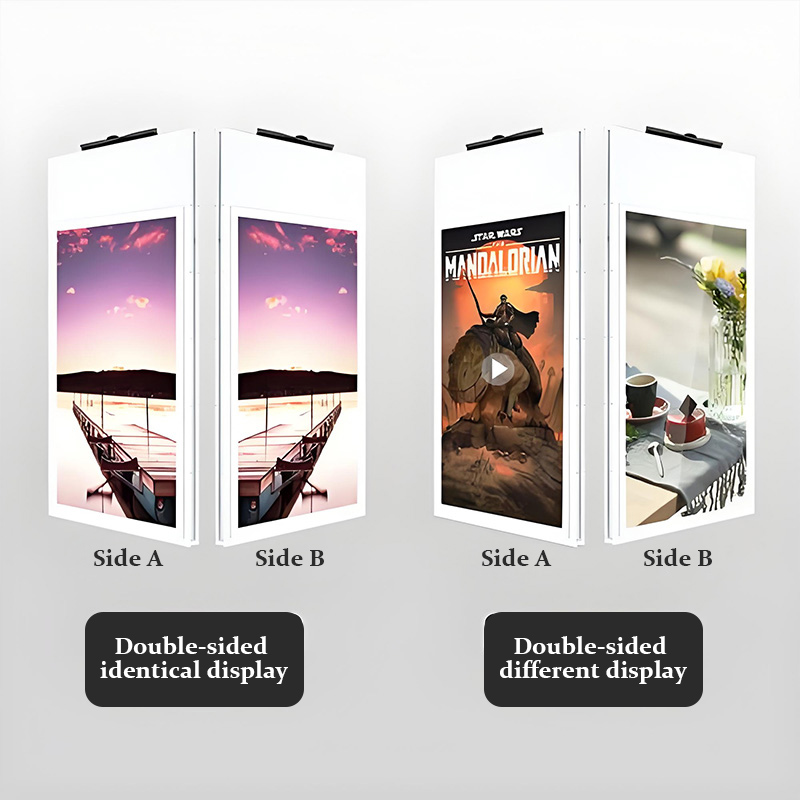
Hanging double-sided digital signage display is designed for high-traffic commercial spaces, helping you deliver clear advertising and information from two directions while saving floor and wall space.
TRANSPARENT LCD DISPLAY

TRANSPARENT LCD DISPLAY

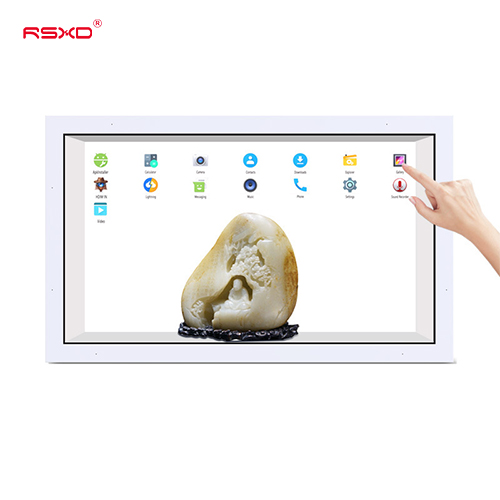
The transparent LCD display combines physical product exhibition with digital content, allowing customers to view the real item inside the cabinet while reading product information, brand stories, technical details, or promotional videos on the transparent screen. This transparent display creates a layered visual effect. Products remain visible behind the screen, while images, text, videos, and animation can be shown on the front surface. This makes the display more attractive for high-value products, exhibition items, luxury retail, cultural collections, and brand presentation.
Circular LCD Display

Circular LCD Display

Circular LCD display is a round-format digital screen designed for creative retail displays, museums, exhibitions, smart home panels, control dashboards, brand decoration, and customized commercial display projects.
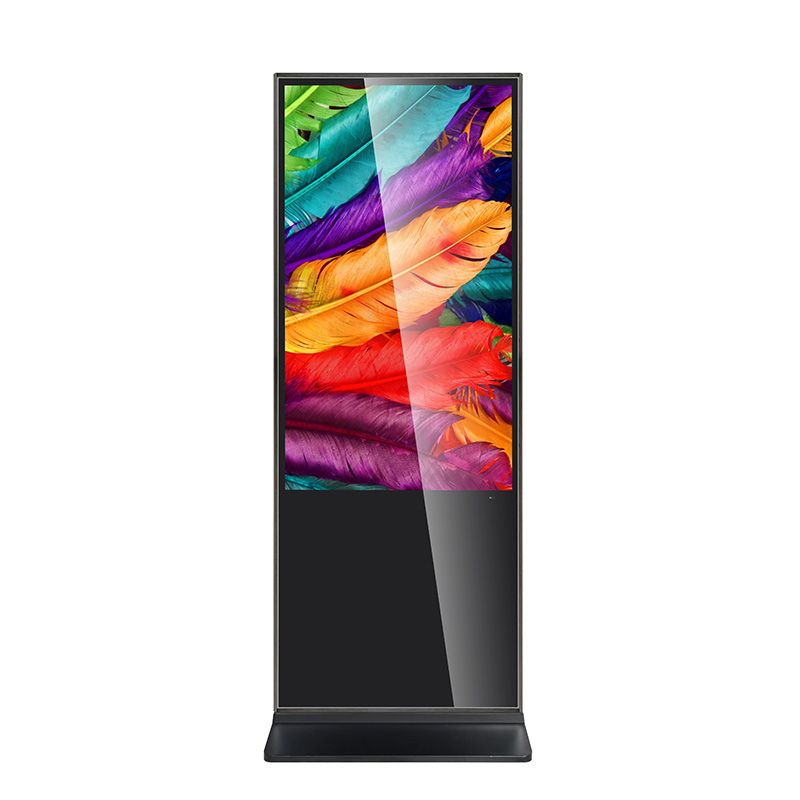
RSXD Floor-Standing LCD Advertising Display

RSXD Floor-Standing LCD Advertising Display

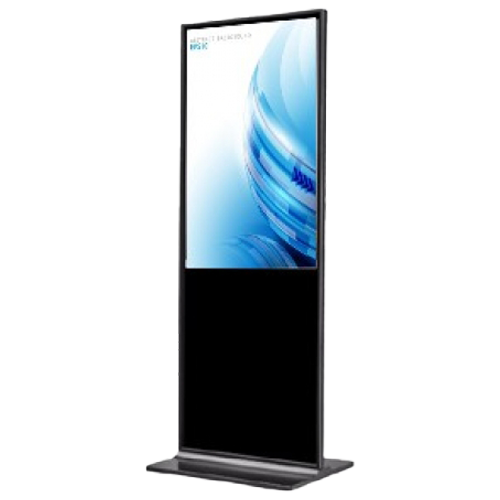
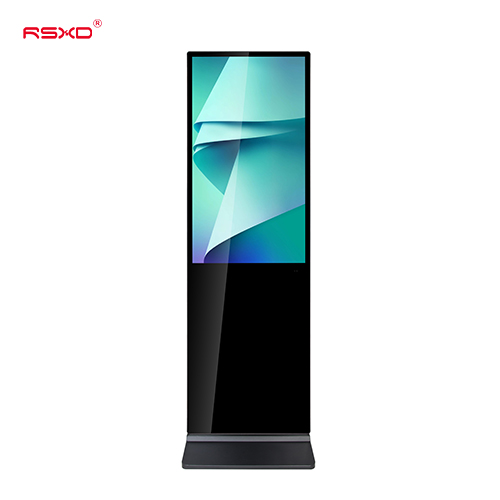
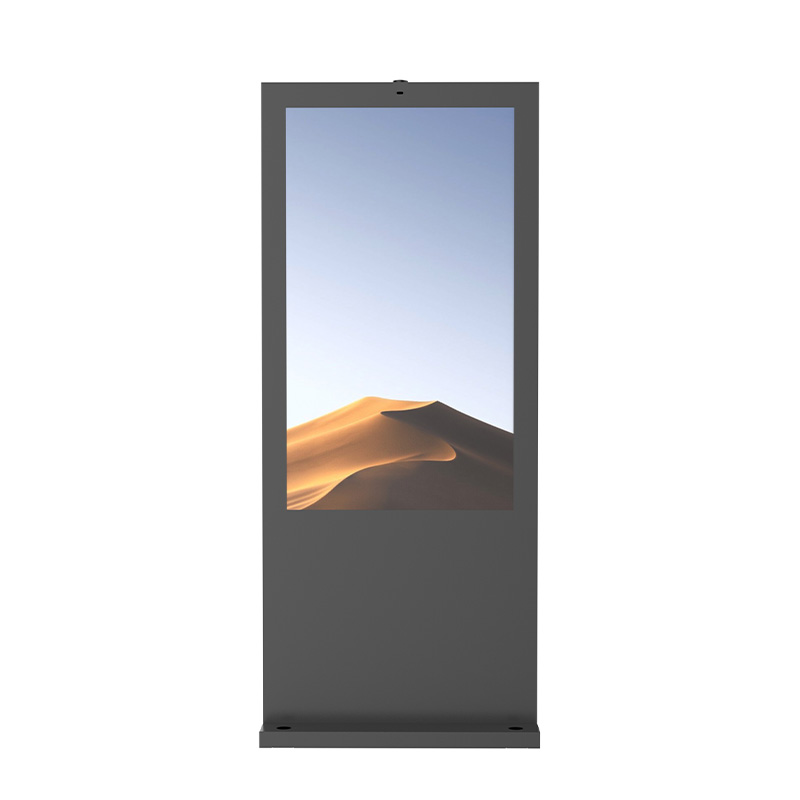
This digital signage kiosk is a floor-standing LCD advertising display designed for malls, retail stores, hotels, restaurants, exhibitions, offices, and public information areas, helping you publish videos, images, scrolling text, weather, time, and promotional content in a clear vertical format.
Horizontal Touchscreen All-in-One Kiosk Display

Horizontal Touchscreen All-in-One Kiosk Display

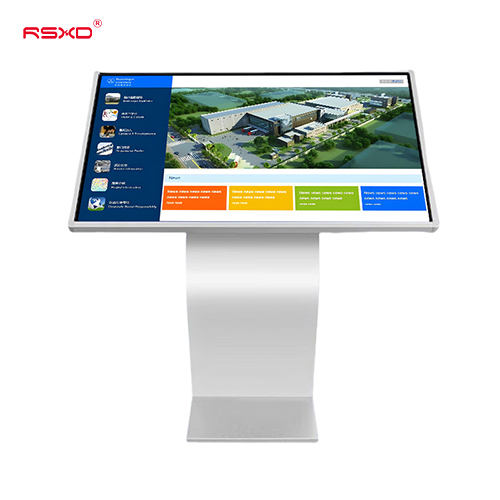
Horizontal touchscreen All-in-One kiosk display is an interactive LCD touch screen solution for information inquiry, self-service guidance, product browsing, public information display, and multimedia interaction in malls, airports, libraries, schools, exhibitions, retail stores, and service centers.
Outdoor Floor-Standing LCD Advertising Display

Outdoor Floor-Standing LCD Advertising Display

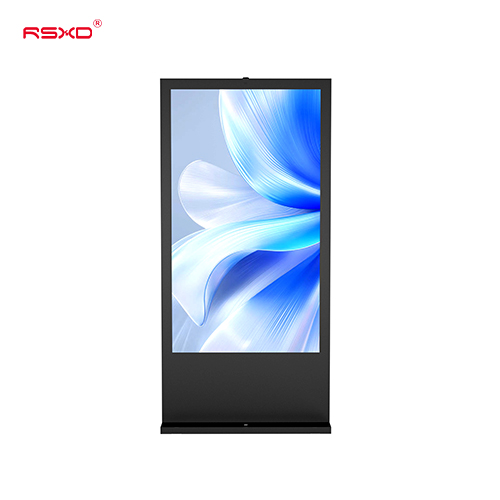
Outdoor vertical digital signage display is a floor-standing LCD advertising solution designed for outdoor public spaces, combining high brightness, IP65 protection, intelligent temperature control, remote content publishing, and durable anti-corrosion housing for 24/7 outdoor advertising.
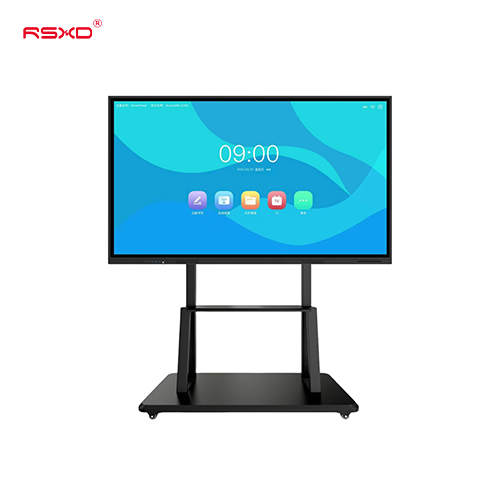
Interactive Flat Panel Display

Interactive Flat Panel Display

Interactive flat panel display is a smart touch screen solution for classrooms, meeting rooms, training centers, and collaborative workspaces, combining digital whiteboard, wireless screen sharing, annotation, video conferencing, and multi-touch interaction in one device.
High-Definition Elevator Digital Signage Display

High-Definition Elevator Digital Signage Display

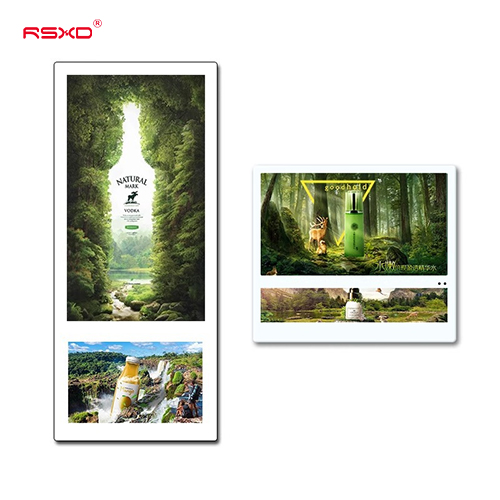
Elevator digital signage display is a compact wall-mounted LCD advertising screen designed for elevator cabins, elevator halls, office buildings, apartments, hotels, shopping malls, and commercial properties, helping operators publish ads, notices, videos, images, and building information in high-frequency waiting and riding scenarios.
Stretched Bar Display

Stretched Bar Display

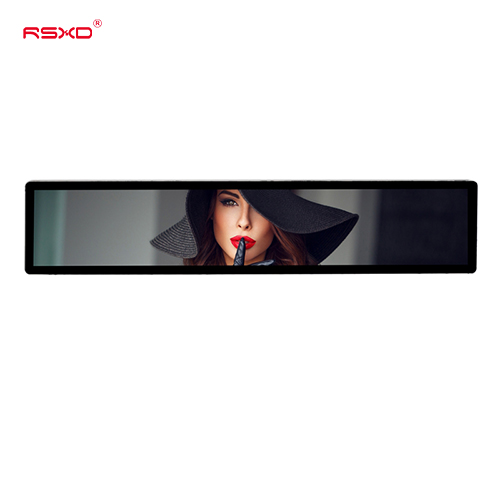
Bar LCD screen is a stretched digital signage display designed for shelves, retail stores, transportation guidance, menu boards, door headers, and narrow advertising spaces, helping businesses publish videos, images, text, road signs, news, and promotional content in a long-strip format.
LCD Video Wall Display

LCD Video Wall Display

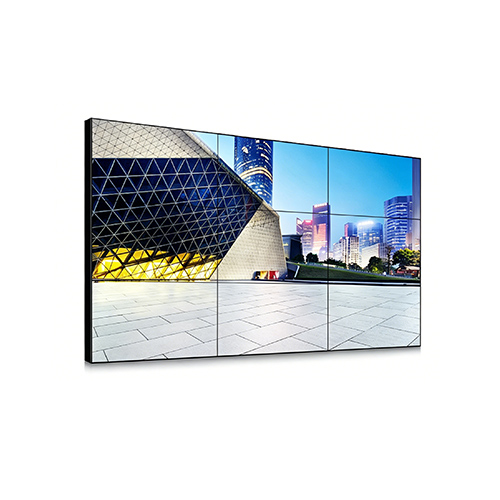
46/49/55/65 inch LCD video wall A clear and wide field of view right before your eyes.
Hanging Double-Sided Digital Signage Display

Hanging Double-Sided Digital Signage Display

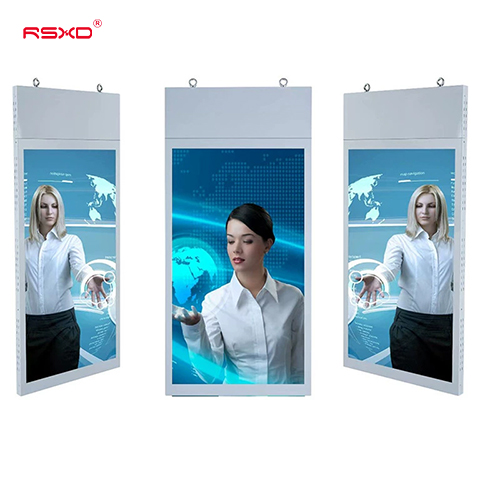
Hanging double-sided digital signage display is designed for high-traffic commercial spaces, helping you deliver clear advertising and information from two directions while saving floor and wall space.
Double-Sided Hanging Window Display

Double-Sided Hanging Window Display

The double-sided hanging window display is designed for storefront windows, shopping malls, retail entrances, showrooms, and commercial advertising spaces. With screens on both sides, it helps you display promotional content to people inside and outside the store at the same time.
Dual-Screen Digital Signage Kiosk

Dual-Screen Digital Signage Kiosk

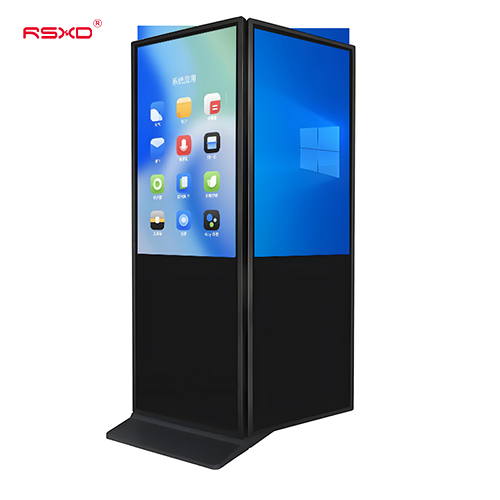
This dual screen digital signage kiosk is special design for commercial place that need digital advertising and interactive display together. With a vertical double screen structure, it can show brand video, promo content, map, or service info in a very modern way and save space.
TRANSPARENT LCD DISPLAY

TRANSPARENT LCD DISPLAY

The transparent LCD display combines physical product exhibition with digital content, allowing customers to view the real item inside the cabinet while reading product information, brand stories, technical details, or promotional videos on the transparent screen. This transparent display creates a layered visual effect. Products remain visible behind the screen, while images, text, videos, and animation can be shown on the front surface. This makes the display more attractive for high-value products, exhibition items, luxury retail, cultural collections, and brand presentation.
Circular LCD Display

Circular LCD Display

Circular LCD display is a round-format digital screen designed for creative retail displays, museums, exhibitions, smart home panels, control dashboards, brand decoration, and customized commercial display projects.
LCD Wall-Mounted Advertising Display

LCD Wall-Mounted Advertising Display

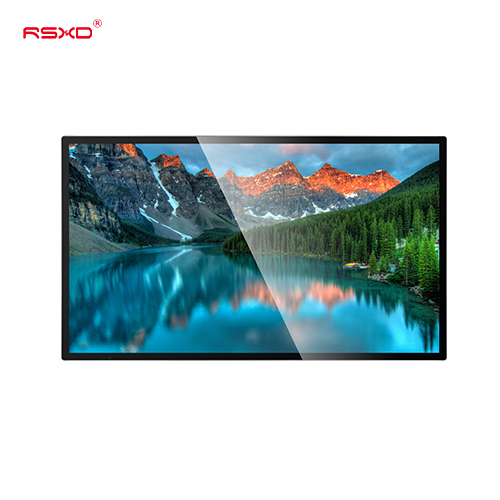
LCD wall-mounted advertising display is a space-saving digital signage solution for retail stores, restaurants, malls, hotels, offices, hospitals, and public service areas, helping you publish videos, images, menus, notices, and promotional content remotely.
RSXD Floor-Standing LCD Advertising Display

RSXD Floor-Standing LCD Advertising Display

This digital signage kiosk is a floor-standing LCD advertising display designed for malls, retail stores, hotels, restaurants, exhibitions, offices, and public information areas, helping you publish videos, images, scrolling text, weather, time, and promotional content in a clear vertical format.
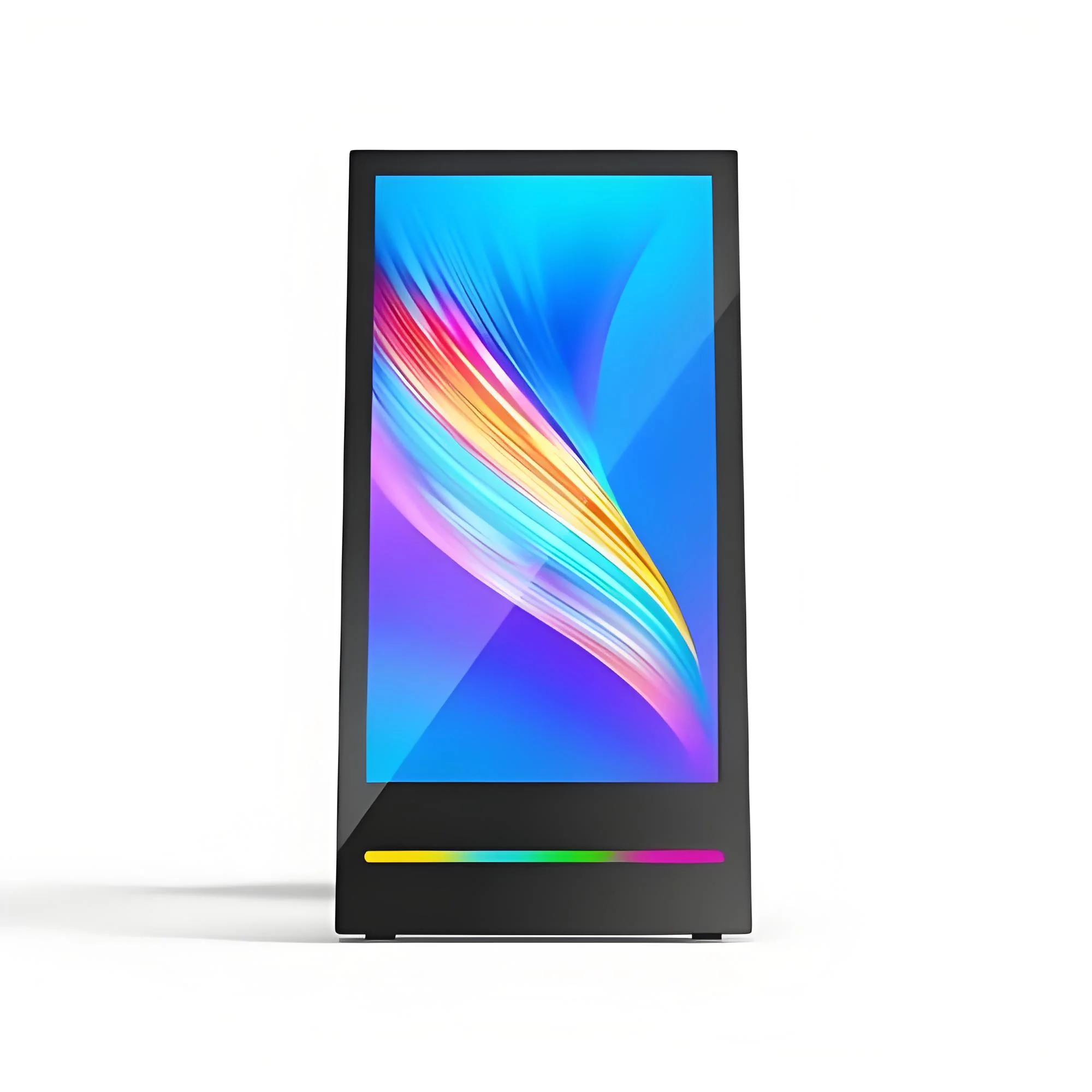
Portable Smart Display

Portable Smart Display

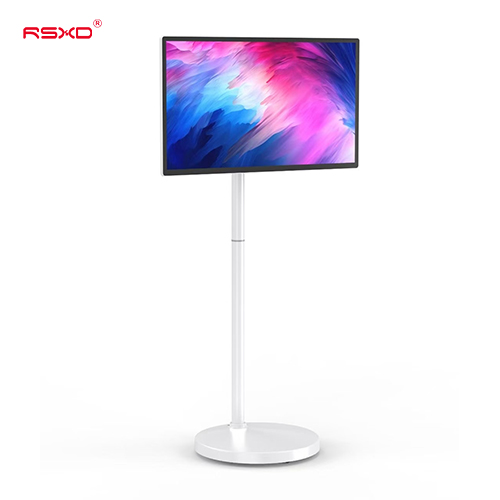
Portable smart display is a 32-inch movable touch screen designed for video meetings, wireless projection, online learning, live streaming, retail display, home entertainment, and interactive business presentations.
Horizontal Touchscreen All-in-One Kiosk Display

Horizontal Touchscreen All-in-One Kiosk Display

Horizontal touchscreen All-in-One kiosk display is an interactive LCD touch screen solution for information inquiry, self-service guidance, product browsing, public information display, and multimedia interaction in malls, airports, libraries, schools, exhibitions, retail stores, and service centers.
Interactive Digital Signage Kiosk

Interactive Digital Signage Kiosk

This touchscreen digital signage is an interactive LCD display solution for advertising playback, touch inquiry, wayfinding, product browsing, and self-service information display in malls, hotels, restaurants, hospitals, stations, banks, entertainment venues, and commercial service areas.
Wall-Mounted Digital Display Screen

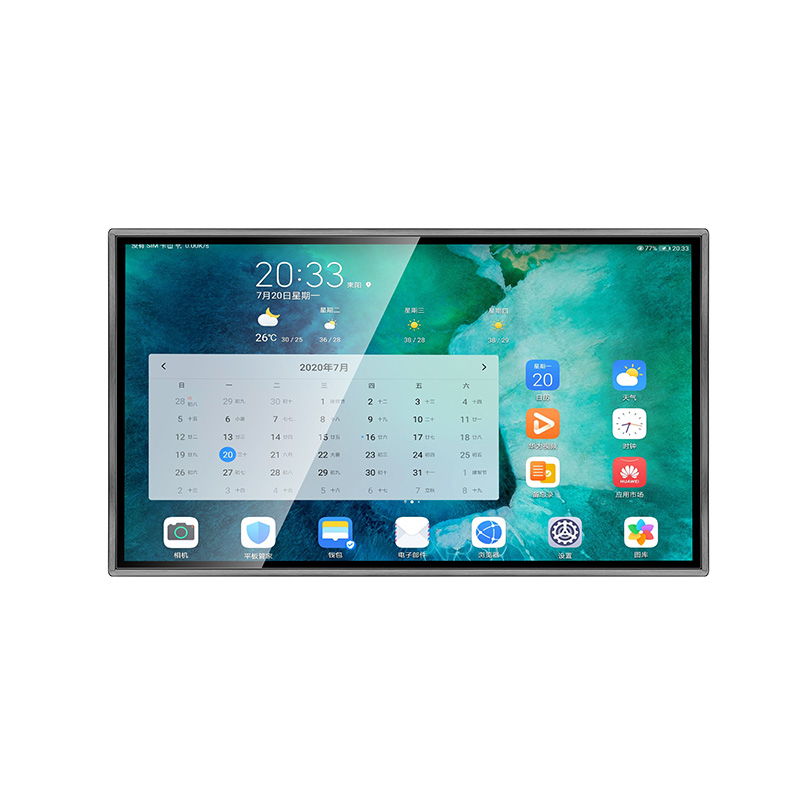
Wall-Mounted Digital Display Screen

This wall-mounted digital display screen have a a slim body, vivid display performance and smart content management functions, it helps businesses present advertising, menus, wayfinding information, brand videos and interactive content in a more professional way.
Outdoor Floor-Standing LCD Advertising Display

Outdoor Floor-Standing LCD Advertising Display

Outdoor vertical digital signage display is a floor-standing LCD advertising solution designed for outdoor public spaces, combining high brightness, IP65 protection, intelligent temperature control, remote content publishing, and durable anti-corrosion housing for 24/7 outdoor advertising.
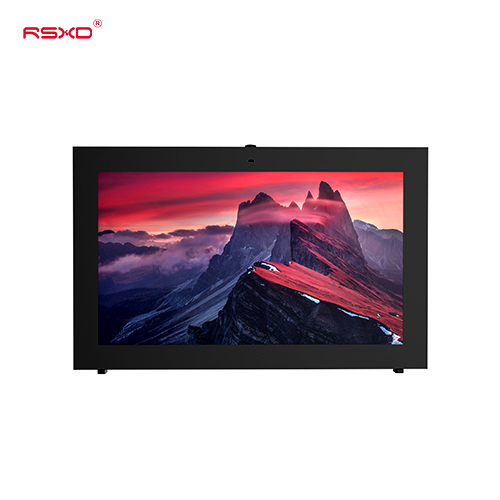
RSXD Outdoor Wall-Mounted Interactive Digital Signage

RSXD Outdoor Wall-Mounted Interactive Digital Signage

RSXD outdoor wall-mounted interactive digital signage combines an outdoor LCD advertising screen, touch operation, and remote publishing in a fixed wall installation. It is intended for exterior sites that need visitor inquiry, route guidance, promotional media, public information release, and service navigation without occupying floor area.
LCD Screen Digital Signage

LCD Screen Digital Signage

This mobile digital signage display combines portability, sunlight-readable brightness, and reliable battery power for retail promotions, outdoor advertising, event guidance, and public messaging.
Outdoor Freestanding

Outdoor Freestanding

Available sizes:110/98/86/75/65/55/49/43/32 inch
Interactive Flat Panel Display

Interactive Flat Panel Display

Interactive flat panel display is a smart touch screen solution for classrooms, meeting rooms, training centers, and collaborative workspaces, combining digital whiteboard, wireless screen sharing, annotation, video conferencing, and multi-touch interaction in one device.
High-Definition Elevator Digital Signage Display

High-Definition Elevator Digital Signage Display

Elevator digital signage display is a compact wall-mounted LCD advertising screen designed for elevator cabins, elevator halls, office buildings, apartments, hotels, shopping malls, and commercial properties, helping operators publish ads, notices, videos, images, and building information in high-frequency waiting and riding scenarios.
Stretched Bar Display

Stretched Bar Display

Bar LCD screen is a stretched digital signage display designed for shelves, retail stores, transportation guidance, menu boards, door headers, and narrow advertising spaces, helping businesses publish videos, images, text, road signs, news, and promotional content in a long-strip format.
RSXD Floor-Standing Full-Screen Digital Signage Display

RSXD Floor-Standing Full-Screen Digital Signage Display

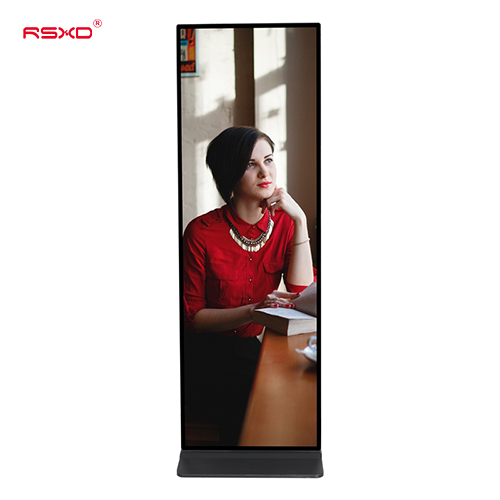
The RSXD floor-standing full-screen digital signage display is an indoor vertical LCD advertising display for commercial content publishing in high-traffic locations. It is designed for malls, retail stores, hotel lobbies, restaurants, cinemas, exhibitions, hospitals, schools, office buildings, and public service areas that need clear digital posters, video advertising, menus, wayfinding, notices, and brand communication.
LCD Video Wall Display

LCD Video Wall Display

46/49/55/65 inch LCD video wall A clear and wide field of view right before your eyes.
LCD screen wall

LCD screen wall

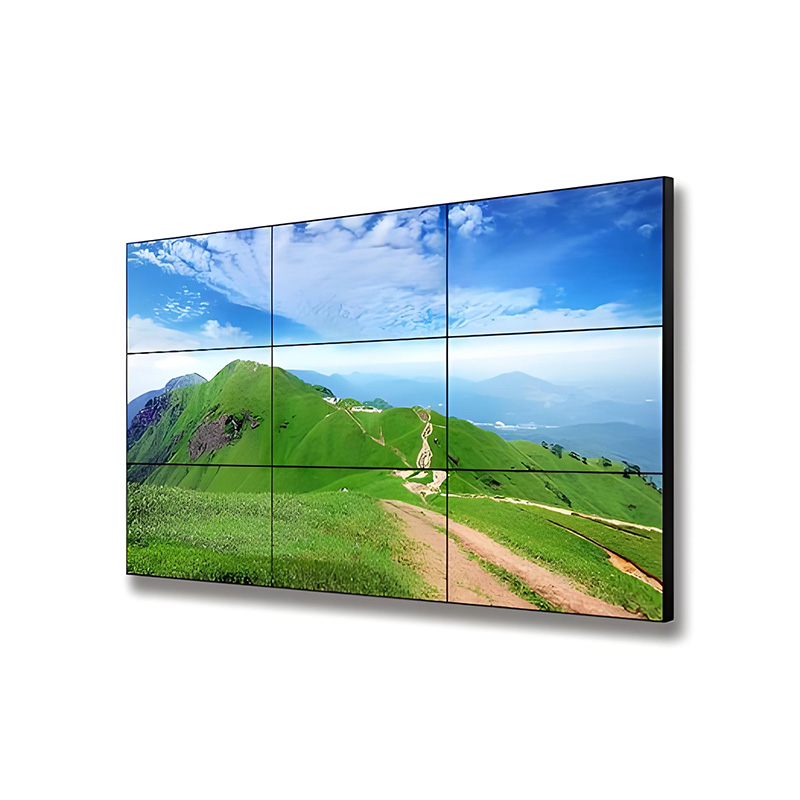
LCD screen wall is a flexible LCD splicing display solution for control rooms, meeting halls, exhibition spaces, shopping malls, security monitoring centers, and commercial presentation projects, supporting multiple screen layouts, multi-signal input, narrow bezel design, and on-site installation.

service8

Long-term cooperation value-added services

Rongsheng Xingda is committed to building long-term and stable strategic partnerships with its clients, providing diversified value-added services to help them enhance their core competitiveness. • Bulk Order Discounts: For long-term partners and bulk purchasers, we offer highly competitive pricing and flexible payment options to reduce procurement costs and enhance market competitiveness. • Market Adaptation Support: Combining policies and consumer habits in different global markets, we provide clients with product localization advice (such as language settings, voltage compatibility, and certification supplementation) to help them quickly adapt to local market demands. • Bidding Assistance: For clients with bidding needs, we provide complete technical documentation, certification documents, and case studies to assist them in completing the bidding process and increasing their chances of winning bids. • Brand Empowerment Support: We offer services such as customized product packaging and brand logo integration to help clients build their own brands and enhance brand influence. Rongsheng Xingda always puts customer needs at the core, leveraging its professional monitor R&D and manufacturing capabilities, comprehensive foreign trade service system, reliable quality assurance, and efficient after-sales support to provide global corporate clients with one-stop B2B foreign trade services. We are willing to work hand in hand with global partners to cultivate the display industry, share industry development opportunities, and create business value together.

service7

Multilingual technical support and after-sales guarantee

Rongsheng Xingda prioritizes long-term customer cooperation, providing full-cycle technical support and after-sales guarantees, breaking down language and geographical barriers to ensure worry-free cooperation. • Multilingual Professional Support: Equipped with a multilingual foreign trade and technical team (English, German, Spanish, Japanese, etc.), we offer 24/7 online support, promptly responding to customer inquiries, order requests, and technical questions, ensuring smooth and efficient communication. • Full-Cycle Technical Support: Pre-sales professional technical consultation, recommending suitable product solutions, customization suggestions, and market adaptation plans based on customer needs; during sales, installation and commissioning guidance, product usage training, and remote assistance to resolve technical issues during installation; after-sales product upgrade suggestions and technical optimization support, assisting customers in resolving various product malfunctions. • Comprehensive After-Sales Guarantee: All products offer a 1-3 year warranty, providing free spare parts replacement and fault repair services during the warranty period. For bulk order customers, we offer overseas spare parts reserves for rapid after-sales response; implementing an “efficient after-sales” model, we promptly arrange repairs or replacements after fault confirmation to minimize customer losses. • Customer Feedback Response: Establish a customer feedback mechanism, regularly follow up with customers, collect customer usage experience and needs suggestions, continuously optimize products and services, improve customer satisfaction, and help customers expand their local markets.

service10

Efficient supply chain and cross-border logistics services

Leveraging years of experience in foreign trade services, Rongshengxingda has built a comprehensive global supply chain and logistics system, professionally addressing core pain points such as cross-border transportation and customs clearance. This ensures efficient and secure order delivery, reducing customers’ logistics and time costs. • Flexible Inventory Management: With a warehousing center spanning tens of thousands of square meters, we can provide bulk stock preparation and staggered shipment services based on customer order needs. We also support long-term inventory storage, alleviating customer financial pressure and meeting urgent order delivery requirements. • Global Logistics Partnerships: We have established long-term partnerships with globally renowned logistics companies such as DHL, UPS, and Maersk, offering various logistics methods including sea freight, air freight, and express delivery. We optimize logistics solutions based on customer order volume, delivery cycle, and target market to reduce logistics costs. • Professional Customs Clearance Assistance: Our professional foreign trade team is familiar with the customs clearance rules of different global markets. We provide customers with a complete set of customs clearance documents (bill of lading, commercial invoice, packing list, certificate of origin, etc.), assisting customers in completing customs declarations and tax payments, mitigating customs risks, and ensuring smooth customs clearance. Standard clearance time is 1-3 days. • Full order tracking: An order tracking system has been established, allowing customers to check the production progress and logistics status of their orders in real time. Foreign trade specialists provide one-on-one follow-up, promptly report on order progress, and communicate and resolve any abnormalities immediately to ensure on-time delivery of orders.

service9

End-to-end quality assurance service

Rongsheng Xingda takes “quality as the core” and has established a full-process quality control system from raw material procurement to finished product delivery. It strictly follows international standards to ensure that every batch of exported products meets the compliance requirements of the target market and reduces the risk of customers’ access to overseas markets. • Rigorous Raw Material Selection and Control: We select high-quality core raw materials such as panels, chips, and power supplies, and have established long-term partnerships with globally renowned suppliers. We conduct rigorous testing on raw materials to prevent substandard materials from entering the production process, ensuring product stability from the source. We also adhere to the “Requirements for Restriction of Hazardous Substances in Electrical and Electronic Products” (GB 26572—2025), strictly controlling the content of hazardous substances such as lead and mercury to achieve green production. • Comprehensive Production Process Control: We employ fully automated production lines and standardized production processes, staffed with professional quality inspectors. Every step of production (surface mounting, assembly, debugging, aging) is monitored in real time to ensure that product performance, appearance, and interfaces meet standards. The batch product qualification rate reaches over 99.7%. • International Compliance Certification Guarantee: Products have passed comprehensive certifications from major global markets, including EU CE (EMC+LVD+RoHS), US FCC+Energy Star, Korea KC, Japan PSE, and India BIS. Additional high-end certifications such as VESA DisplayHDR and TCO can be provided based on the client’s target market needs. We provide comprehensive support for client bidding projects to ensure smooth product entry into overseas markets. • Rigorous Factory Testing: Before leaving the factory, finished products undergo 72-hour aging tests, performance tests, appearance inspections, and compatibility tests, with detailed test reports provided to ensure the products are free of quality issues. We also offer product quality traceability services, enabling full traceability from production to delivery.

Product 42-inch Vertical LCD Android Network 2
about us 1
about us2
About Us

Redefining The Commercial Display Experience

Shenzhen Rongsheng Xingda Co., Ltd. is a leading technology-driven manufacturer of commercial LCD display equipment in China, with a focus on R&D, design, production, and service of LCD advertising players and touchscreen all-in-ones. Backed by a senior R&D team with years of industry expertise, we deliver a full range of display solutions from 10.1-inch to 108-inch, and our products are trusted by customers in over 10 countries and regions worldwide.

  • Industry-leading R&D Capability
  • Comprehensive Product Portfolio
  • Strict Quality Control
  • Customer-Centric Approach
  • Comprehensive service options
  • quality product
Call For Help
+86 138-2325-1887

10+

Years Experience

150+

Product Models

13+

Global Markets

20+

R&D Investment

How to Choose the Right Portable Smart Display for Business Use
11 , November

How to Choose the Right Portable Smart Display for Business Use

Choose a portable smart display around the work it will do. Start with the content, the people using it and the places it needs to reach. Then match the screen size, touch controls, applications and power arrangement to that routine. A showroom presentation, a staff training session and a customer browsing a catalog all place different demands on the same screen. Getting those details right makes the buying decision much clearer. Start with the task and the location Picture an ordinary working day. Will employees move the display from a reception area to a meeting space, or keep it beside one product collection? Will a salesperson guide each presentation, or will customers browse independently? Write down the main task first and add occasional uses afterward. That keeps the selection focused on the work the screen must handle every day. Our portable smart display combines Android operation, touch control, wireless content sharing and a movable design. For business use, think about where each of those features belongs in your routine. A screen shared between a showroom and a training area needs a clear storage and charging location as well as a convenient route between the two spaces. Match screen size and controls to the user Check the actual viewing position RSXD offers screen size options of 21.5, 23.8, 27 and 32 inches for this portable display. Bring a representative catalog, slide deck or form into the size discussion. Look at the smallest text from the place where a visitor normally stands or a colleague usually sits. Check the screen with nearby lighting switched on, especially when it will sit beside a window or under bright showroom lights. Try the controls people will use Touch control suits direct browsing and staff-led demonstrations, while a remote-control option gives you another way to operate the display. Try the actual buttons, menus and input fields your users will encounter. Check reach, screen angle and text entry together. If staff need to change content while speaking to a customer, include that action in the demonstration rather than testing only a video that plays by itself. Make sure the applications fit the work The display uses Android 12.0 with an eight-core processor. Begin software planning with a short list of essential applications and browser tasks. Include the account type, sign-in process, file formats and any equipment that must connect. An operating system name alone cannot settle application fit, so use the proposed configuration to open the same files and complete the same actions your team performs at work. Google Play application availability can vary with location, screen size and Android version. Include these conditions when reviewing the application list, particularly for deployments in several markets. Try a complete task, such as opening a catalog, selecting an item and returning to the starting screen. This gives purchasing and IT a shared basis for accepting the configuration before an order moves ahead. Decide whether the display should move A portable signage display makes sense when the content needs to follow the conversation. Staff can bring the screen beside a product, use it for a small group presentation, then return it to its usual position. If the screen will stay at one entrance showing the same message, consider a fixed installation instead. If it only needs to display a connected computer, a conventional monitor may meet the requirement. For a room used mainly for group discussion, compare that routine with an interactive flat panel display. Consider how many people need to see the material, whether the furniture moves and how often the screen changes location. Choose the format that suits the room. A device that looks convenient in a photograph may feel quite different beside your own desks, shelves and walkways. Plan movement and power as part of the setup Walk the route between locations The portable display has five hidden silent wheels and an adjustable screen angle. Plan the route from its storage point to each working position, including doorways, turns and the space around furniture. At the destination, check the angle for both the presenter and the audience. Keep the route practical enough that moving the screen remains a normal part of the job rather than a task staff avoid. Build charging into the daily routine A built-in 15000mAh battery allows the display to be used away from a fixed outlet. Battery life is about 8 to 10 hours, depending on usage. Plan around your actual sessions and check running time with the intended brightness and applications. For shared equipment, assign a charging location and a person responsible for returning it there. Include a charging opportunity between longer presentations where the schedule allows. Connect the display to your business workflow Use the real source devices Wireless projection supports content sharing from phones, tablets and laptops. Test the devices your employees already carry, using the network available at the intended location. Open a presentation, play a video and switch between presenters if that is part of the job. When a wired connection or a particular sharing protocol is essential, put it in the configuration request so the connection method can be agreed before purchase. Agree on accounts and shared use The built-in Ultra HD camera can be used for online video communication. For meetings, check the camera, application and chosen audio equipment together. For customer-facing use, agree on which accounts remain signed in and how staff remove temporary files. Put responsibility for updates, content changes and account access in writing. A shared screen works best when the next user knows how to start and how to leave it ready. Confirm the configuration before ordering At RSXD, we record customization requirements in a needs confirmation form and support sample delivery and prototype testing. Use that stage to bring together size, functions, system, appearance and the intended setting. Ask for an agreed configuration and record what the sample must demonstrate. Keep delivery arrangements and the scope of any supporting documents specific to your order. Our quality process includes equipment batch, component and inspection traceability, with individual machine inspection and a factory inspection report. For your acceptance record, keep the selected configuration, test content and outstanding questions together. A useful final check covers readability, touch operation, application access, movement, power and content sharing. That makes it easier to compare the delivered unit with the business requirement you started with. Use a sample to answer the remaining questions Prepare a short acceptance sheet before the sample arrives. For a showroom, include opening the catalog, moving between product areas and handing control to another employee. For an office, include joining a meeting, sharing the expected file types and returning the screen to charge. Let the people who will use it carry out those actions, including someone who did not help prepare the demonstration. Keep essential requirements separate from preferences. If a particular application is central to the job, make completing that application task an acceptance item. If a color or accessory is optional, record it as a choice. This makes the purchasing conversation more useful and gives everyone a clearer understanding of what must be included in the order. FAQ Which screen size should a business choose Start with the content and normal viewing position. Compare the available sizes using your smallest text and the space around the display, then check touch access at the intended angle. Can one portable display serve several departments Plan a shared schedule, a storage and charging point, and a simple handover routine. Check that each department can open its content and use the agreed connection method. How should a company plan support after delivery Assign an owner for routine content changes and give IT responsibility for application and account settings. Keep the order configuration, acceptance record and support contact together. When asking for help, describe the device, application, connection method and steps that reproduce the issue. Agree on support arrangements with the supplier during purchasing. What should be tested before placing an order Use your own applications, files and source devices. Check viewing, touch operation, movement, connection and running time under the workload planned for the business. Discuss your business display requirements Send us your use locations, preferred size, applications and connection requirements. Discuss a portable display configuration with RSXD so the specification and sample checks reflect how your team will actually use it.
How Portable Smart Displays Improve Meetings and Workplace Collaboration
12 , November

How Portable Smart Displays Improve Meetings and Workplace Collaboration

A portable smart display brings shared content to the place where a team is working. Move it beside a project table, use it for a training session or position it for a video conversation. That flexibility gives teams more ways to present and discuss their work without making every session depend on one room. The most useful setup matches the display to the meeting format, the content and the people taking part. Bring a shared agenda to informal meetings A short discussion often needs only one document, a project timeline or a list of decisions. Put that material on a screen the group can see, then keep the current item visible as the conversation moves forward. A portable display lets you arrange that shared reference around the working area, whether people are seated at a table or gathered beside a product demonstration. Our portable smart display has five hidden silent wheels and an adjustable screen angle. Move it into the meeting area and set the viewing position for the group. Before starting, open the agenda and check the smallest text from each normal seat. Assign one person to control the material so participants can stay with the same version throughout the discussion. Make hybrid meetings easier to arrange Place the camera around the discussion The built-in Ultra HD camera supports online video communication. In a small project meeting, position the screen so the camera faces the people who will speak. Check the remote view before others join, including what appears behind the team. When the room layout changes, adjust the display position and angle to suit that session rather than relying on the arrangement from the previous meeting. Share the material from familiar devices Wireless projection supports sharing from phones, tablets and laptops. A presenter can prepare material on their usual device and use the display as the group viewing surface. Try the complete meeting routine with the chosen application and audio equipment, including joining the call, showing a document and switching to another presenter. Match the sharing method to your workplace network and the devices participants actually use. Choose the right surface for whiteboarding Some discussions need a shared presentation; others need people to write, sketch and annotate together. Decide which activity matters before choosing the display. Touch control gives users a way to operate the portable screen, while live writing and annotation depend on the chosen model and software. Include the actual activity in your demonstration, such as marking a document and reopening the saved result. For a space centered on shared writing, compare the requirements with an interactive flat panel display. Consider the working area, the number of people who need access and whether the screen moves between rooms. A small project group reviewing slides has a different setup from a workshop built around writing on a shared surface. Keep those two uses clear when discussing the configuration. Take training into the working environment Present beside the task being taught Training does not always belong in a classroom. A product explanation may make more sense beside the display area, while a process discussion may happen around a worktable. Bring the presentation into that setting and keep the relevant image or instruction visible. The adjustable screen angle allows the display position to be adapted for a seated discussion or a standing explanation. Prepare a simple workshop sequence Use a short sequence that the facilitator can control comfortably. Open the topic, show the example, pause for discussion and return to the agreed action. Prepare the files before moving the screen and keep a fallback copy available. For a workshop that uses several locations, walk the route in advance and check the viewing position at each stop so the content remains part of the activity. Keep cross team project reviews focused When sales, design and operations review the same project, start with one shared file and a clear question. Is the group choosing a layout, checking a product explanation or agreeing on the next step? Put the relevant material on the screen and keep supporting files ready. A movable display lets the review happen near the team or product involved, provided the space and connection are suitable. The portable screen runs Android 12.0 with an eight-core processor. Plan the applications around the files the team already uses and check the whole presentation sequence on the proposed configuration. Application availability can vary with location, screen size and Android version. Agree on one presenter, one file location and a way to record decisions, so moving the display does not introduce uncertainty about which document the group is reviewing. Keep the decision visible during the review For example, a team comparing two presentation layouts can show each version in turn, keep the selection criteria visible and write the agreed change in its project file. The display provides a common place to look; the meeting owner still needs to guide the decision. At the end, reopen the chosen version and check that everyone knows which file should be used for the next stage. Use temporary spaces for visitors and small groups In a showroom or reception area, bring the material to the conversation. A portable display can show product catalogs, promotional videos, brand stories and customer presentations while staff guide the discussion. Prepare the content for that visitor and leave only the relevant files open. The same approach can be used for an internal briefing when a team needs a screen near a temporary working area. Battery operation helps with placement away from a fixed outlet. The display has a 15000mAh battery with about 8 to 10 hours of use, depending on usage. Plan the meeting schedule around the actual application load and brightness, and check charge before moving it. For a day with several sessions, identify when the display returns to a charging point and who is responsible for that handover. Make short sessions easy for the next presenter Keep a simple opening screen or folder for the meeting materials your team uses regularly. Before a visitor arrives, close internal documents and check that the intended presentation opens correctly. When the next session involves another department, hand over the screen with a brief explanation of the content source and connection method. This is especially useful where several small groups use the same space during the day. Leave the display ready for the next meeting Finish by saving the agreed material to the team location, signing out of temporary accounts and clearing visitor files. Return the display to its storage or charging point and note any connection issue that the next presenter should know about. Keep access to content and account settings consistent with your IT policy, especially when several departments share the same device. Before introducing the display across the workplace, run one recurring meeting from start to finish. Check seating, viewing, touch operation, wireless sharing, camera, audio and battery use in that room. Record the chosen configuration and the tasks that need a different arrangement. Use the findings to create a short setup guide that a colleague can follow without attending the original demonstration. FAQ Can a portable display replace every meeting room screen Choose it for meetings where mobility and flexible placement matter. For a room built around a large shared writing area, compare the requirements with an interactive panel before deciding. What should a hybrid meeting test include Use the real meeting application, source device, camera and audio equipment. Join a call, share a file and check both the in-room view and the remote participant experience. How can a team judge whether the setup helps Use the same recurring meeting for a short pilot. Record how the team prepares, connects, follows the material and hands over the display. Ask participants what was easy to see and what interrupted the discussion. Those observations give you a practical basis for adjusting the arrangement before introducing it more widely. How should shared equipment be handed over Save the meeting files, remove temporary accounts and return the display to its agreed charging location. Leave a brief note about any application or connection issue. Plan your workplace display setup Tell us about your rooms, meeting applications and presentation routine. Discuss your meeting display requirements with RSXD and bring those details into the configuration discussion, including the connection and power arrangements your team needs.配图建议
What Can You Do With an Android Portable Touchscreen Display
11 , November

What Can You Do With an Android Portable Touchscreen Display?

Article ID: P-008-ART-20261028-001; Article Version: v1 <!– ARTICLE_BODY_START –> What Can You Do With an Android Portable Touchscreen Display? An Android portable touchscreen display can serve as a movable screen for video calls, training, presentations, product demonstrations and everyday media. With the right software, it can also become a shared information station. The useful question is which task you want to move from a small device or fixed screen, and what that task needs to work reliably. Think about a trainer changing rooms, a salesperson explaining a product beside the actual item, or a team holding a short review away from its usual meeting space. In each case, portability has a purpose. Buying a screen first and looking for uses afterward is a less convincing plan. Understand what kind of portable display you are buying For this article, an Android portable touchscreen display means a movable display with an Android computer built in. It is different from choosing a screen solely as an external monitor for a laptop. Start with the applications you want to run on the display itself; then check whether you also need to share content from another device. A portable smart display offers a useful configuration example. RSXD’s listed model combines Android 12.0, an eight-core processor, a built-in camera, wireless projection, a battery, hidden wheels and an adjustable screen angle. These features describe that configuration, rather than every display sold under a similar name. Before comparing prices, write down who will use the screen, where it will travel and whether someone will supervise it. A shared office device and an unattended customer station need different operating arrangements. Bring video conversations into the right room Use a movable screen for a supplier discussion beside samples, a remote consultation in a showroom or a small team meeting. Position it so participants can see the other person without crowding around a phone. With a camera-equipped model, plan the camera’s height and framing as carefully as the screen position. Run the actual calling application during evaluation. Check sign-in, microphone pickup, speaker volume and whether the remote participant can see what you intend to show. A built-in camera alone does not settle those questions. If the conversation involves confidential drawings or customer details, choose an appropriate space and an account approved for that work. Keep a simple fallback: a telephone number, a second device or a way to continue the conversation without video. The objective is a usable discussion, not a demonstration that every session must use the screen. Make training easier to follow at the point of work A portable display is worth considering when the lesson belongs beside a workstation, demonstration table or showroom exhibit. Prepare a short sequence: show the relevant step, pause for a demonstration and let the learner repeat it. Keep instructions readable from the positions people will actually occupy. For a proposed training setup, test the course platform, video files and any touch exercises before the session. If you need annotation, document editing or progress tracking, verify those functions in the chosen application. Do not treat the presence of a touchscreen as a promise that training software includes them. When the main requirement is sustained group teaching or collaborative writing, compare the setup with an interactive flat panel display. That comparison helps decide whether movement between rooms matters more than a dedicated group workspace. Choose around the lesson, rather than making every training format fit the same device. Present ideas without passing around a small screen For sales conversations and design reviews, use the display to keep the same document, image or presentation in view. A furniture consultant might discuss a room plan beside material samples. A project team could review a proposed layout before returning to individual workstations. These are planning examples, not claims about completed customer projects. Wireless projection provides another route for presenting content. Test the exact phone or laptop, receiving software and network you will use. Check reconnecting after sleep, switching presenters and the visibility of private notifications. If you require a cable connection, verify the port’s input function and touch behavior separately before ordering. Sharing a picture and controlling the original application are different requirements. During the demonstration, ask someone to perform the actual task from start to finish. A successful connection screen is only the beginning of that test. Put useful content beside the customer or visitor Consider a short product explanation, a searchable catalog or a service introduction. Give the viewer a clear starting point and a practical next step: compare two options, watch a demonstration or ask a staff member for help. Keep the content focused enough to use while standing. For a station that stays in one public location, compare a movable screen with an interactive digital signage kiosk. The decision should follow the layout and operating model. A requirement to move between consultation areas is different from a requirement to maintain a permanent visitor-information point. Treat booking, stock lookup and payment as separate software projects. If one is essential, include the entire workflow in the sample test, including errors and recovery. Showing a form is not the same acceptance task as submitting it to a live business system. Use media and shared access deliberately Between scheduled tasks, you could use a compatible player for approved videos, presentation material or learning content. Select files for the audience and setting. Check playback rights, sound levels and the procedure for returning to the main business task afterward. For shared use, avoid building the routine around one employee’s personal account. Decide who installs applications, changes settings and removes session information. Where an unattended station needs restricted access, ask the integrator to demonstrate the proposed management configuration. Android lock task mode relies on applications allowlisted by a device policy controller; its availability in a finished deployment needs confirmation. The official app compatibility guidance also matters during selection: application availability can depend on location, screen size and Android version. Test the named application on the proposed device instead of accepting “runs Android” as the entire compatibility check. Check the complete working setup Bring a written acceptance list to the sample demonstration. Include the conditions that are easy to miss in a brief showroom viewing. Requirement What to demonstrate Movement The actual route, doorways, floor surface and final parking position Viewing and touch The intended user’s reach, viewing angle and main on-screen controls Power The complete work sequence at the intended settings, plus a charging routine Applications Installation, login, normal operation, errors and recovery Handover A second user starting a clean session without the first user’s information   Set a runtime requirement in hours for your own workload. Include the apps and settings you expect to use; do not convert battery capacity into a guaranteed working shift. Plan a charging location that staff can use consistently. RSXD records customization requirements in a needs confirmation form and supports sample delivery and prototype testing. Use that process to agree on the functions the sample must demonstrate. A short, specific acceptance list is more useful than asking whether the screen can do “everything.” Frequently asked questions Can it work without a laptop? Yes, if the required task runs in a compatible Android application on the display. A laptop may still be needed for software that is not available or suitable on that configuration. Will every Android application work? No universal compatibility should be assumed. Verify the application, installation method, account requirements and full workflow on the proposed model before purchase. Can I use it as a laptop touchscreen monitor? Check that specific requirement separately. Confirm video input, supported connection methods and whether touch commands can return to the laptop. Wireless sharing alone does not answer all three questions. How long will it run on battery? Specify the runtime you need and test it with your real workload. Agree on the settings and acceptance conditions rather than relying on capacity alone. What should I send when requesting a recommendation? Include the main task, applications, expected users, movement route, network conditions and required runtime. For a proposed deployment, discuss your display configuration with RSXD and ask which functions should be demonstrated on the sample.
Products
Contacts
WhatsApp
Email