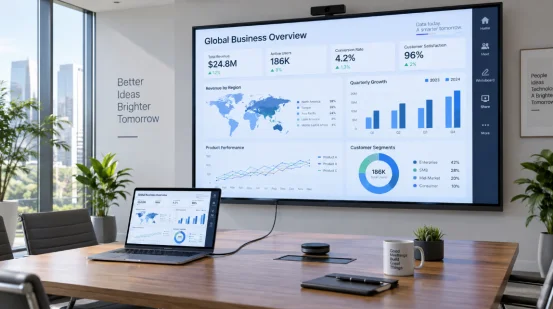
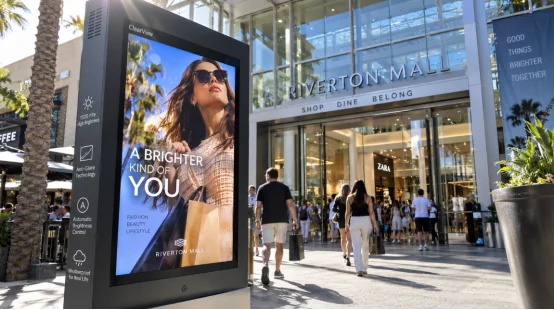
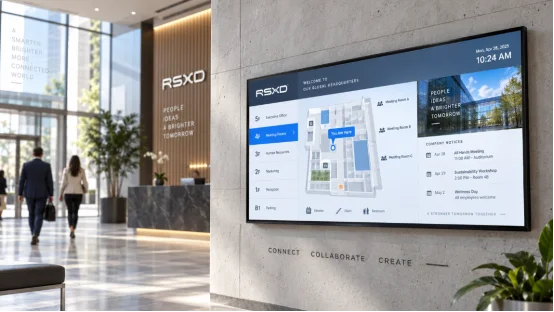
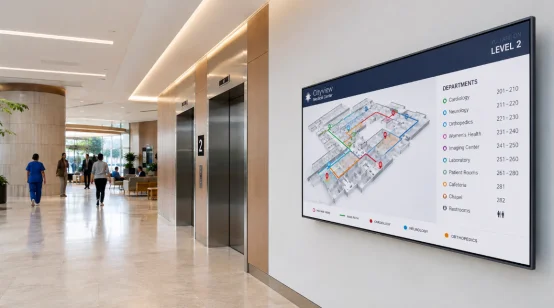
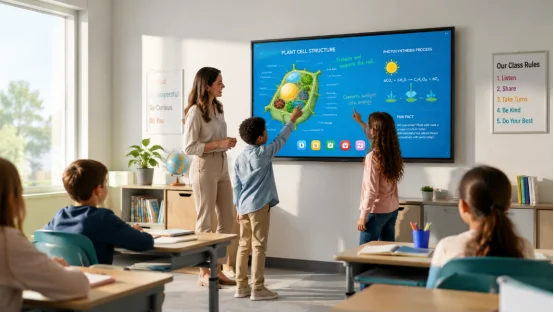
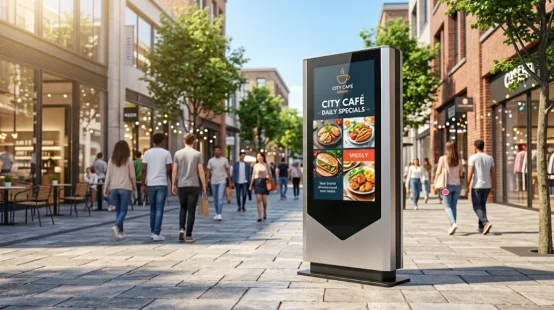
A sleek floor-standing digital signage display showing a perfume advertisement in a brightly lit shopping mall
10 , July

Floor Standing Digital Signage Display: A Complete Buyer’s Guide for Commercial Projects

A floor standing digital signage display is often one of the first things your visitors notice. In a mall entrance, hotel lobby, restaurant doorway, or exhibition booth, it can show promotions, directions, menus, public notices, and brand messages without changing printed posters every week. That sounds simple, but buyers usually face the same problem: which size, system, playback method, and supplier make sense for a real commercial project? The right choice should match your space, content, budget, and daily operation habits. A screen that looks impressive in a catalog may be too large for a narrow store aisle. A touch model may sound useful, yet a non-touch digital signage display may be better for simple video ads. A low price can also become expensive later if the device is hard to maintain. What Is a Floor Standing Digital Signage Display? A floor standing digital signage display is a self-standing commercial LCD screen built for advertising and information publishing. Unlike a household TV on a stand, it is designed for longer working hours, public spaces, remote content updates, and stronger housing. A Better Fit for Commercial Spaces A floor standing LCD advertising display usually supports videos, images, documents, scrolling text, scheduled power on/off, and split-screen digital signage display layouts. For example, a hotel lobby can show a welcome message, weather, time, and meeting room directions on one screen. A restaurant can display a digital menu display, daily specials, and a QR code at the same time. RSXD focuses on commercial LCD display equipment and turnkey solutions. The company integrates R&D, design, production, customization, sales, and service, with products covering intelligent touch kiosks, multimedia advertising machines, LCD video walls, teaching displays, and other commercial display systems. Its production range covers 10.1 inches to 120 inches+, with support for hardware, software, installation, and operation service. For buyers who care about practical delivery, not just a nice product photo, this background matters. How Should You Choose Screen Size and Display Quality? Size is not only about visual impact. It affects delivery, installation, viewing distance, customer flow, and price. Before asking for a digital signage project quote, check where people will stand, how far they will view the screen, and whether the unit can pass through doors, elevators, and corridors. Match Size to the Real Scene For small retail stores, 32 to 43 inches can be enough. For store entrances, restaurants, and standard lobbies, 49 to 55 inches are common choices. For shopping mall digital signage, exhibition digital signage display, or large public information display projects, 65 inches and above may give stronger visibility. Display quality also matters. RSXD advertising machine series can use 1080P or 4K digital signage display panels, with a 178° viewing angle, clear color, and no obvious distortion from different angles. Indoor brightness is usually 300 to 500 cd/㎡, while outdoor models can reach 800 to 1500 cd/㎡ with high-brightness customization. If your screen faces glass, strong lighting, or a semi-outdoor area, do not skip this detail. It is a small line in a spec sheet, but it changes the whole result. Which Playback Method Should You Use? Content update is a daily task, not a one-time setup. Many project issues start here. If staff cannot update content easily, the screen slowly becomes an expensive decoration. USB or Network Publishing USB digital signage playback works well for one store or one screen. You copy videos or images to a USB drive, plug it in, and play content in a loop. It is simple and cost-friendly. A network digital signage display is better for chain stores, malls, offices, and projects with many screens. You can push materials remotely, manage devices in batches, check device status, and reduce on-site work. RSXD’s advertising machine series supports remote information publishing, timed power on/off, split-screen display, intelligent dimming, and multi-device batch management. For headquarters teams, that can save many calls and late-night update jobs. Android or Windows: Which System Fits Your Project? The operating system should follow your content and software needs. Do not pay for a complex setup if your screen only plays ads. Also, do not choose a basic system if your project needs custom software. Choose by Function, Not by Habit An Android digital signage display is usually suitable for video playback, image display, menus, and standard information release. It is simple and fast to deploy. A Windows digital signage display is better when you need custom software, touch interaction, data access, or enterprise system connection. RSXD supports Android 9.0/11.0 options and Windows customization. Some customized solutions can also adapt to Kylin OS, UnionTech UOS, and HarmonyOS. For government, enterprise, education, and other projects with system rules, this kind of compatibility is worth checking early. What Should You Check Before Bulk Orders? A commercial digital signage display should not be judged only by unit price. For a digital signage display bulk order, quality control, packaging, supplier response, and long-term support are just as important. Supplier and Quality Checklist A reliable digital signage manufacturer should have clear production and testing steps. RSXD uses CNC sheet metal processing, anti-static electronic assembly, system pre-installation, parameter calibration, and function testing. Finished products go through at least 48 hours of continuous high-temperature aging tests. Performance checks include brightness, contrast, color consistency, touch response, power-on/off stability, interface compatibility, shell structure, installation strength, and heat dissipation. For demanding sites, protection level also matters. Indoor models can use IP40 protection, while outdoor models can reach IP65 for waterproof and dustproof use. The product line also supports 24/7 operation, with a service life listed at 50,000 hours or above for advertising machine models. If you need a custom digital signage display, check whether the supplier can handle size, color, logo, system, hardware, interfaces, and protection level. RSXD provides OEM digital signage display and ODM digital signage display support, including custom floor standing digital signage display projects based on scene, size, function, and system requirements. You can review the product details here: floor standing LCD advertising display. Why Choose RSXD Floor Standing Digital Signage Display for Commercial Projects? Your concern is probably not only “Can the screen play video?” It is more likely: Will it fit the site? Can content be updated easily? Can the system run every day? Will someone answer when there is a problem? Practical Support for Project Buyers RSXD has its own production base in Shenzhen, with sheet metal, assembly, testing, and aging lines. The company supports full-size commercial LCD display products from 10.1 inches to 120 inches+, plus customized hardware, software, installation, debugging, and maintenance services. Its products have certifications such as CCC, CE, FCC, and RoHS, and the company follows ISO9001 quality management. For project buyers, distributors, and system integrators, RSXD is suitable when you need a commercial LCD display manufacturer that can discuss real site conditions, not just sell a standard screen. To get an accurate quote, prepare your screen size, quantity, system choice, touch or non-touch need, playback method, installation scene, target country, and customization request. That makes the recommendation faster and more useful. FAQ Q1: What Size Floor Standing Digital Signage Display Should You Choose? A: Choose by viewing distance and space. Small stores may use 32 to 43 inches, while malls, hotels, and exhibition halls often need 55 inches or larger. Q2: Is 4K Necessary for a Floor Standing Digital Signage Display? A: 1080P is enough for standard ads and menus. Choose 4K when you need premium product images, large screens, or close viewing. Q3: Should You Choose USB Digital Signage Playback or Network Publishing? A: USB works for one screen and simple updates. Network publishing is better for chain stores, malls, and multi-device projects. Q4: Do You Need a Touch Screen Digital Signage Kiosk? A: Choose touch for wayfinding, self-service inquiry, or product browsing. For video ads and menus, non-touch is usually more cost-friendly. Q5: What Should You Provide for a Digital Signage Project Quote? A: Send the size, quantity, resolution, system, playback method, touch need, installation scene, logo request, target market, and delivery plan.
Floor-standing digital signage displaying a daily steak special and QR code outside a restaurant entrance
9 , July

Restaurant Digital Signage Display: Menu Promotion, Queue Information and Daily Specials

A restaurant digital signage display can make daily menu work much easier. If you run a café, bakery, fast food shop, hotel restaurant, or food court stall, prices and dishes change all the time. A printed poster looks fine on Monday, then a dish sells out on Tuesday. Someone has to reprint, replace, and explain it again. Not fun during the lunch rush. With a digital menu display, you can show menu items, daily specials, combo meals, queue numbers, pickup reminders, and QR codes on one clear screen. A floor standing screen near the entrance or cashier counter also helps customers decide before they ask staff the same question for the tenth time. What Is a Restaurant Digital Signage Display? A restaurant digital signage display is a commercial LCD screen used to show menu information, promotions, prices, service notices, and customer guidance. It is not just a screen playing random food photos. In a busy restaurant, it becomes part of the ordering flow. A Practical Display for Daily Restaurant Work A good restaurant digital menu board can show food images, videos, documents, scrolling text, and QR codes. For example, one split-screen display can show lunch sets on the left, a daily specials display on the right, and a takeout QR code display at the bottom. The floor standing LCD advertising display from RSXD is suitable for restaurant entrances, hotel dining areas, shopping malls, and retail spaces. It supports 1080P/4K display, remote information publishing, scheduled power on/off, and multi-format playback. That means your screen can show clear food photos and switch content by time period, such as breakfast, lunch, dinner, and late-night snacks. Why Do Restaurants Need Digital Signage? Restaurants do not only sell food. They sell speed, clarity, and appetite. A customer standing at the counter should know what to order fast, especially when people are lining up behind them. A restaurant digital signage display helps remove small points of friction that slow service down. Menu Updates Without Printing Again and Again A restaurant digital menu display is useful when prices, ingredients, or limited-time dishes change often. You can update a menu price, remove a sold-out item, or add a seasonal menu display without waiting for new printed material. This helps cut restaurant printing cost and reduces manual price change work. It is also cleaner. No taped paper over old prices, no faded poster beside the cashier. Small detail, yes, but customers notice those things. Better Promotion for Combos and Daily Specials A restaurant advertising display can guide attention to dishes you want to sell more often. Think lunch combo, chef recommendation, family set, weekend brunch, or a limited-time offer display for holiday drinks. Food photos matter. RSXD advertising display products use 1080P or 4K LCD panels, wide viewing angles, rich colors, and clear images. For premium restaurants, a 4K restaurant digital signage display can make steak, seafood, desserts, and drinks look more attractive from a short viewing distance. Where Should You Place a Restaurant Digital Signage Display? Screen placement should follow customer movement. A screen is useful only when people can see it at the right moment. Put it too far away, and it becomes decoration. Put it in the walking path, and it becomes annoying. Entrance, Cashier Counter, and Waiting Area A restaurant entrance display works well for attracting people from a mall corridor or hotel lobby. It can show signature dishes, booking information, and an online ordering QR code display. Near the cashier counter display, the screen can show the main menu, add-ons, and restaurant combo promotion display content. For fast food digital signage display use, a restaurant queue display is often more helpful than another poster. It can show a pickup number display, waiting time display, and order pickup display. In a customer waiting area display, you can also show membership offers or customer feedback QR code display content while people wait. Which Features Should You Check Before Buying? A restaurant screen may run for long hours every day. Grease, heat, strong lighting, and busy staff all affect daily use. So the feature list should be practical, not fancy for the sake of fancy. Playback, Scheduling, and Remote Management USB playback is enough for a small café digital signage display or bakery digital signage display with one screen. For a chain store, remote digital signage management makes more sense. RSXD supports remote information publishing, batch device management, real-time status monitoring, scheduled material push, and fault alerts. Scheduled power on/off is also useful. The screen can turn on before opening and shut down after closing. Less manual work. Less chance someone forgets. Stability, Size, and Touch Options RSXD advertising displays run reliably 24/7. They feature tough, scratch-resistant sheet metal enclosures. Every unit passes a strict 48-hour high-temperature aging test. During this phase, technicians verify brightness, contrast, and color uniformity. They also check power stability, interface connections, shell structure, and cooling performance. You can select sizes from 10.1 inches to 120 inches+ for various projects. Indoor panels provide 300 to 500 cd/㎡. Meanwhile, high-brightness outdoor units achieve 800 to 1500 cd/㎡. A touch screen digital signage kiosk works perfectly for self-service ordering or product browsing. Conversely, for basic menu promotion, a non-touch digital signage display remains much easier to manage and highly cost-effective. How Should You Choose a Restaurant Digital Signage Supplier? A low screen price can look tempting. But restaurant operators usually care more about whether the screen works every day, whether content is easy to change, and whether support is available when something goes wrong. That is where supplier capability becomes important. Manufacturing, Customization, and Service Support RSXD is a commercial LCD display manufacturer focused on display equipment and integrated solutions. Its work covers R&D, design, production, customization, sales, and service. The company has its own production base with sheet metal, assembly, testing, and aging lines, and its product range covers advertising machines, touch kiosks, self-service terminals, LCD video walls, and customized commercial displays. For a custom restaurant digital signage display, RSXD can adjust size, body color, system, function modules, interfaces, appearance, logo, and protection level. The company also supports hardware, software, installation, debugging, and operation maintenance services. Products have CCC, CE, FCC, and RoHS certifications, and the company follows ISO9001 quality management. You can learn more from RSXD when planning a restaurant digital signage solution or bulk restaurant digital signage order. FAQ Q1: What Is the Best Size for a Restaurant Digital Signage Display? A: Small cafés and bakeries often use 32 to 43 inches. Restaurants, hotel dining areas, and food court digital signage projects may need 43 to 55 inches or larger, depending on viewing distance. Q2: Can a Restaurant Digital Signage Display Reduce Printing Cost? A: Yes. It reduces printed menu boards, posters, stickers, and manual replacement work, especially when prices or dishes change often. Q3: Is a Touch Screen Digital Signage Kiosk Necessary? A: Not always. Choose touch for self-service ordering, browsing, or membership inquiry. For menu display and daily specials, non-touch is often enough. Q4: What Content Can Be Shown on a Digital Signage Menu Board? A: You can show menus, prices, dish photos, videos, queue information display content, pickup reminders, QR codes, seasonal offers, and restaurant membership promotion display content. Q5: What Should You Provide for a Restaurant Digital Signage Project Quote? A: Share your restaurant type, screen size, installation place, quantity, playback method, touch needs, content update plan, logo request, and delivery market.
Wall-Mounted Digital Signage for Retail A Buying Guide
3 , July

Wall-Mounted Digital Signage for Retail: A Buying Guide

Optimize your in-store promotions with the right wall-mounted digital signage. Learn about screen sizing, orientations, and remote content management.
Remote Digital Signage Management for Multi-Location Brands
3 , July

Remote Digital Signage Management for Multi-Location Brands

Tired of manual USB updates? Discover how remote digital signage management helps multi-location businesses easily schedule content and monitor screens via RSXD.
Circular LCD Display Applications in Commercial Spaces
26 , June

Circular LCD Display Applications in Commercial Spaces

Discover where to use circular LCD displays in commercial spaces. Explore creative applications for retail windows, museums, restaurants, and smart panels.
Custom Circular LCD Display B2B Buying Checklist
26 , June

Custom Circular LCD Display | B2B Buying Checklist

Before ordering a custom circular LCD display, use this B2B checklist. Check the size, brightness, touch, housing, and OEM packaging for your project.
Products
Contacts
WhatsApp
Email