 author
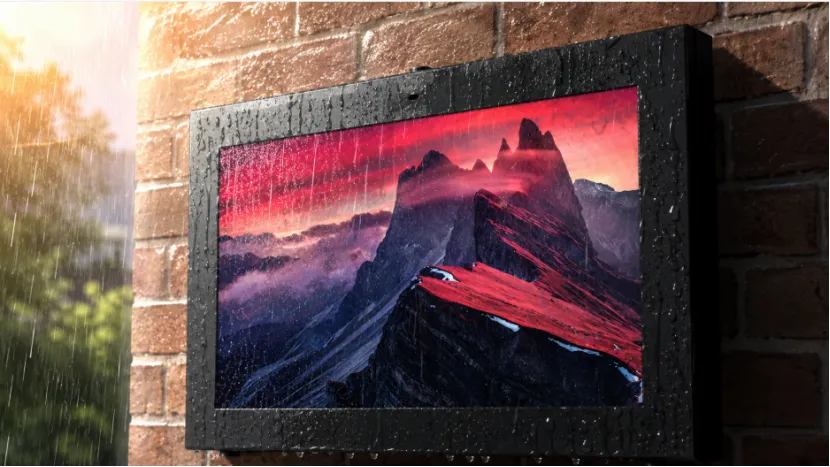
A screen may look sharp inside a showroom, then fade into a gray rectangle once it faces the afternoon sun. Bright ambient light lowers visible contrast, while reflected buildings, clouds, and passing vehicles can cover the message. Heat creates another problem. Direct solar load can raise the LCD temperature enough to cause dark patches or temporary screen blackout.
Good sunlight readable digital signage deals with all these issues together. You need suitable brightness, low-reflection glass, stable cooling, weather protection, smart dimming, and content that people can read quickly. A high brightness outdoor display helps, but a high nit figure alone does not make an outdoor screen reliable.
An outdoor display for direct sunlight competes with light far stronger than normal indoor illumination. Even when the backlight is working correctly, surface reflections can make black areas appear gray and weaken color contrast.
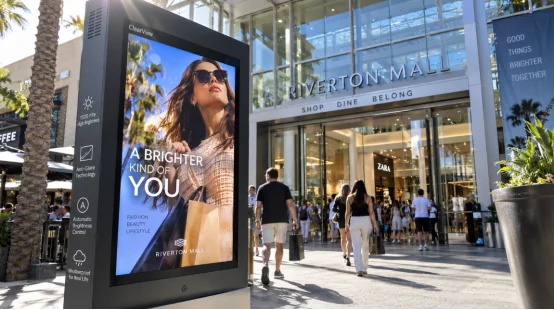
Outdoor screen glare reduction starts at the cover glass. Reflections become especially noticeable on west-facing storefronts, open plazas, and transport platforms with large areas of bright pavement.
Heat is less obvious but just as important. When an LCD cell becomes too hot, it may show local darkening or turn black until it cools. Repeated overheating can also age the polarizers and shorten panel life. In plain terms, the screen may recover, but the damage adds up.
The right outdoor screen brightness depends on the site. A covered entrance does not need the same output as a south-facing wall exposed to midday sun. Viewing distance, screen angle, nearby glass, and local climate also matter.
The RSXD outdoor portfolio supports high-brightness configurations from 800 cd/m², while its wall-mounted range lists 1,500 to 2,500 cd/m² options depending on screen size. The product line also offers Full HD or 4K resolution, a 178-degree viewing angle, and a rated display life of 50,000 hours.
A 1500 nit outdoor display can work well in many commercial locations. Strong, direct exposure may call for higher output. Still, running high brightness digital signage at full power all day creates extra heat and power use, so do not choose the largest number just because it looks impressive on a specification sheet.
Brightness pushes light out of the screen. Glare control stops outside light from bouncing back at the viewer. Both jobs matter, and glare control is often overlooked during early purchasing discussions.
An anti-glare outdoor display scatters strong light. This makes harsh glare much less annoying. Meanwhile, anti-reflective digital signage uses special surface coats to cut bounced light directly. RSXD’s wall-mounted outdoor model features clear AR anti-glare laminated glass. It fights UV rays and keeps reflections low.
For heavy glare, request an optical bonding outdoor display option. This process fills the air gap above the LCD. It drops inside glare and stops hidden moisture. This approach helps greatly near beaches, damp transit hubs, and outdoor kiosks. Otherwise, trapped fog easily ruins a bright screen.
A bright backlight produces heat, and the sun adds more. Without proper outdoor LCD thermal management, a screen can lose contrast, darken near the edges, or shut down during the hottest part of the day.
A proper outdoor digital signage cooling system might use fans or heat-spreading parts. It could also feature air conditioning. The RSXD wall-mounted line offers air-cooled and air-conditioning choices. The air-cooled build relies on centrifugal fans and a filtration system. Meanwhile, the air-conditioning version keeps cabinet temperatures steadier.
Testing matters greatly. Finished units face at least 48 hours of constant high-temperature aging. Outdoor and high-brightness models also undergo high and low-temperature, waterproof, dustproof, and shock-resistance tests. Workers verify brightness, contrast, power stability, cabinet structure, and heat dissipation right before shipping.
Dust, rain, humidity, and ultraviolet exposure gradually reduce display quality. Water can damage electronics, dust can block airflow, and UV exposure may fade colors or weaken materials inside the optical stack.
IP65 outdoor digital signage blocks dust and stops water leaks. RSXD outdoor units feature tough metal and rust-proof coatings. They also use tight seals and UV-safe parts. The wall-mounted model handles rain, dirt, and theft. Plus, it allows quick modular repairs.
A weatherproof outdoor digital signage enclosure must offer service access. Seals degrade over time. Fans require checks, and filters need washing. You should swap waterproof rings every two to three years. Wash or replace dust filters every six to twelve months. A waterproof outdoor display demands regular upkeep. Rainproof never means maintenance-free.

Maximum brightness is useful at noon but uncomfortable after sunset. It also raises cabinet temperature and adds unnecessary backlight hours.
Automatic brightness digital signage increases output when ambient light rises and reduces it during cloudy weather or at night. An ambient light sensor digital signage setup gives you clearer daytime content without making the screen painfully bright after dark.
RSXD’s outdoor display supports automatic brightness adjustment, timed power control, remote upgrades, and full-screen or split-screen content playback. Operators can update files through a network or USB, with wired, wireless, and optional cellular connectivity available.
This is not just a comfort feature. Lowering backlight output when full power is unnecessary reduces internal heat and can ease the workload on the cooling system.
Even excellent hardware cannot rescue a crowded layout. People may see a storefront display for three seconds while walking past, or read transport information from several meters away.
Effective outdoor digital signage content design uses large type, short headlines, strong color contrast, and one clear message per frame. High contrast digital signage content remains easier to read when reflections or changing daylight reduce the screen’s apparent contrast.
Avoid thin fonts, pale text, detailed charts, and long paragraphs. Test the content at the real viewing distance, not from a desk one meter away. Also check it at the worst time of day. A layout that works at 9 a.m. may struggle badly at 3 p.m., which is a slightly annoying discovery after installation.
A reliable supplier should ask about sun direction, local temperature, daily operating hours, mounting position, viewing distance, and touch requirements. A generic product recommendation is rarely enough for a demanding outdoor site.
RSXD combines display R&D, manufacturing, customization, software support, testing, and after-sales service. Its production range covers 10.1-inch to 120-inch-plus commercial displays, including wall-mounted screens, high-brightness outdoor units, touch systems, and self-service terminals.
The company follows ISO 9001 quality practices and holds CE, FCC, and RoHS certifications. Each project can include customized brightness, cabinet structure, protection level, touch functions, interfaces, remote management, installation, and maintenance support.
This makes RSXD relevant when you need a custom sunlight readable display rather than a standard indoor panel placed inside a metal box. More importantly, the factory tests complete units, not only separate components.
A sunlight readable digital signage solution should match the real site, not a perfect laboratory setting. Before approving the order, review the screen during strong daylight and ask for clear answers about cooling, protection, testing, and maintenance.
Check these points:
The best sunlight readable digital signage combines these features instead of relying on one oversized brightness figure. For storefronts, transport stations, plazas, and interactive service points, a properly specified sunlight readable outdoor display will stay clearer, run cooler, and require fewer emergency visits.
Q1: How many nits does sunlight readable digital signage need?
A: Many outdoor spots use 1,500 nits. Direct sun or shiny backgrounds make it much harder. For those, you will need 2,000 to 2,500 nits.
Q2: Is a high brightness outdoor display enough for direct sunlight?
A: No. You must add glare control and proper cooling. UV protection, decent cover glass, and bold content design are also required.
Q3: What is the benefit of an anti-glare outdoor display?
A: It cuts down annoying reflections and boosts contrast. This makes words and pictures much easier to read outside.
Q4: Does IP65 outdoor digital signage prevent heat damage?
A: IP65 only blocks dirt and water. Heat safety relies on cabinet airflow. The cooling systems and temperature controls handle the heat.
Q5: How do you choose an outdoor digital signage manufacturer?
A: Check their brightness choices and weather tests. Also look at their thermal design, warranty rules, spare parts, and tech help.