 author
Outdoor advertising offers a brief moment to grab attention. A printed poster displays just one ad. It stays there until a person physically swaps it out.
Meanwhile, outdoor digital signage lets you queue multiple messages. You can swap deals by the hour. Plus, you can react immediately to local traffic, weather, or inventory shifts using a central hub. This flexibility helps stores, campuses, and property managers running multiple sites.
Labor costs matter, too. Pushing a digital update is a fast software task. By contrast, printed campaigns demand purchase orders, shipping, and manual site visits. You can easily test a message locally. Next, review the data. Finally, push the revised version to all screens to smoothly support daily operations.
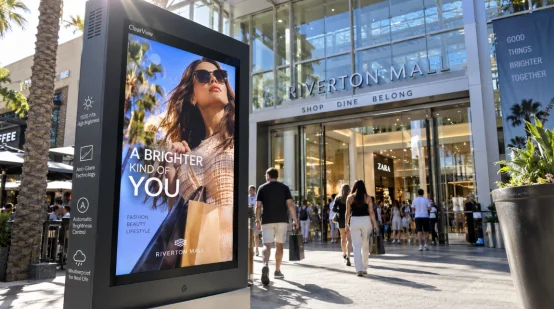
The practical difference appears in the content workflow. A team can prepare a weekly playlist, set start and end times, and send updates through remote content management. A campaign for a breakfast offer can run in the morning, a lunch message at noon, and a wayfinding notice during an event. Horizontal and vertical layouts can match the space, while video, images, and text can share one schedule.
Remote publishing reduces visits to each site. It also gives managers a record of what played and when. For a network of stores, that record helps local teams follow the same promotion while still allowing location-specific notices.
One outdoor advertising display can carry paid campaigns, directions, safety messages, and local announcements. A queue area may show service steps between promotions. This mixed schedule helps the screen serve daily operations as well as marketing.
You can group screens by region, site, or audience and assign different playlists. Permission settings keep publishing work organized. When a price or event detail changes, the update reaches the selected devices through the publishing platform, and the physical material stays in place until its planned removal.
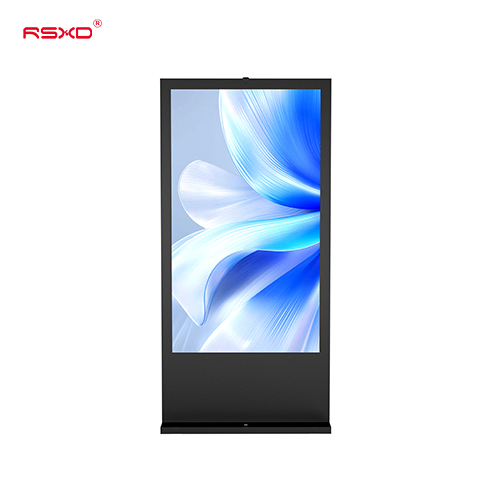
Outdoor visibility depends on the installation, the viewing angle, and the light around the screen. A high-brightness outdoor screen is built for direct-light locations with a brighter panel, anti-glare treatment, and automatic brightness control.
Product specifications describe outdoor models with brightness around 1500 cd/m², with some configurations listed in the 800–1500 cd/m² range.
Weatherproof digital signage uses a sealed front glass together with a protected enclosure, sealed cable entry, controlled ventilation, drainage, and durable gaskets. IP65 protection, wide-temperature design, grounding, and lightning precautions support outdoor use. Ask for the actual protection rating and test conditions behind the “outdoor” label.
Reliability starts before installation. A commercial LCD display project should include brightness, contrast, color, power-cycle, and signal checks. Outdoor models also need high and low temperature, waterproof, dustproof, and shock tests. A 48-hour or longer continuous aging test helps identify early faults before the unit reaches the site.
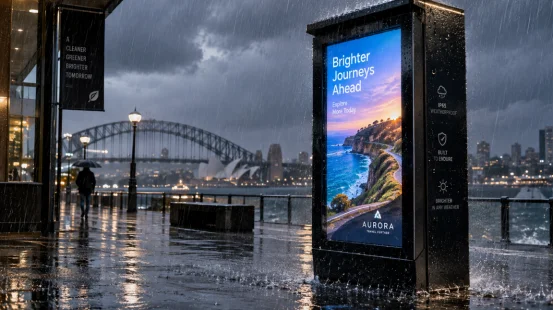
Start with the site. Measure viewing distance, sunlight direction, mounting height, service access, power, and network coverage. Then match the screen size, brightness, orientation, and enclosure to that environment. A screen placed beside a road needs different content timing and viewing assumptions from one outside a shopping entrance.
Confirm supported formats such as MP4, JPG, and PNG, along with the publishing platform, user permissions, offline playback, and update logs. Wired networking can help in fixed installations; Wi-Fi may suit locations with stable coverage. Ask how the device behaves when the connection drops.
Digital signage maintenance includes cleaning the screen and vents, checking seals, reviewing temperature, and inspecting grounding before the rainy season. Ask whether the screen, power supply, motherboard, or touch module can be replaced separately. A stated response process matters when a device serves a public-facing site.
Include the display, structure, delivery, installation, software, network setup, energy use, inspections, and spare parts. A lower purchase price can create extra visits and downtime if the system lacks remote diagnostics or a clear service route.
The fit between hardware, software, and service shapes the result. RSXD develops and manufactures commercial LCD display equipment, including outdoor high-brightness advertising machines, and can configure size, functions, system, installation, and operation support around the site. Its remote management systems support centralized publishing and device checks, while compatibility with common domestic operating systems helps projects with specific IT requirements.
For outdoor deployments, the production process includes software pre-installation, parameter calibration, functional checks, and aging tests. Outdoor models receive additional environmental testing. The company also provides installation, commissioning, training, remote troubleshooting, and localized service support. These details address the daily concerns behind an outdoor digital signage purchase: visibility, stable playback, controlled updates, and a practical maintenance path. See the outdoor digital display range and company site for project information.
Q1: Is outdoor digital signage visible in direct sunlight?
A: A high-brightness outdoor screen with anti-glare treatment and automatic brightness control is designed for strong-light locations. Confirm the brightness, viewing angle, and installation position for your site.
Q2: How often does digital signage content need maintenance?
A: Content can be scheduled and updated remotely. Physical digital signage maintenance should include regular cleaning, vent checks, seal inspection, grounding checks, and review of operating temperature.
Q3: What protection rating should weatherproof digital signage have?
A: IP65 is a common specification for outdoor display enclosures. Confirm the full enclosure design, cable entries, drainage, and the test conditions behind the rating.
Q4: Can one system manage screens at different locations?
A: Yes. Remote content management can group devices by site or region, assign playlists, set publishing times, and record device status when the network and platform support those functions.
Q5: What should be included in an outdoor display project quote?
A: Request the screen, structure, software, installation, commissioning, network setup, warranty, spare-parts policy, maintenance scope, and response times as separate line items.