 author
For outdoor LCD digital signage exposed to direct sunlight, a practical starting point is to evaluate displays around 2,500–3,500 nits, then verify readability at the actual site. This is a shortlist for testing, not a universal minimum. Reflections, protective glass, viewing angle, content and heat can change the result considerably.
Some installations can work with less brightness because the screen is shaded or the optical design controls reflections well. Others need a higher-output display or a different mounting position. The purchasing goal is readable content during the site’s difficult daylight period, with suitable dimming after dark and stable operation under solar heating.

A nit is one candela per square meter, written as cd/m². It describes display luminance. Lux measures the light falling on a surface. A site measurement in lux and a screen specification in nits describe different things; there is no single conversion that tells you which display will be readable outdoors.
Ask whether a quoted brightness is a typical operating value, a peak value or a panel measurement before the protective glass. Confirm the measurement conditions and whether the assembled display can sustain the specified output. Comparisons are unreliable when one quotation lists short-term peak brightness and another describes normal operation.
For context, Samsung’s OHDX outdoor display lists 3,500 nits with a 4,000-nit peak, while LG’s 75XF3C-B lists 3,000 nits. These are examples of specific manufacturers’ designs, not proof that the same rating guarantees identical performance in another enclosure or location.
Describe the site more precisely than “outdoor.” Is the screen under a permanent canopy, beside a reflective facade or exposed to low afternoon sun? Does the audience stand close to read instructions, or see a brief advertising message while walking past? The same display can face very different demands in these situations.
A 1,500-nit device is worth evaluating for a sheltered or controllable location, but should not be assumed adequate for uninterrupted direct sun. RSXD’s portable battery-powered advertising display specifies a 1,500 cd/m² panel and anti-glare glass. Its suitability still depends on placement, content and the conditions during the intended operating hours.
For exposed sites, begin comparisons around 2,500–3,500 nits and ask whether more output is justified by a sample test. Also consider whether changing orientation or introducing permitted shade can improve the result. Increasing brightness is only one option, and it does not remove a strong reflected image of the sky or a nearby building.
Record exposure at different times, especially when direct sun reaches the front glass. Consider seasonal changes before standardizing a display across several branches. A successful morning demonstration does not establish afternoon readability, and one well-shaded pilot location cannot represent every installation in a network.
Sunlight reduces the contrast the viewer can perceive when reflected light competes with the screen image. Increasing backlight output can help, but the front surface remains part of the problem. Ask about the complete optical construction, including protective glass, surface treatment and any touch layer between the LCD and the viewer.
Anti-glare and anti-reflective treatments address reflections in different ways. Anti-glare surfaces scatter reflected light, while anti-reflective treatments aim to reduce reflected light. Ask the supplier to describe the actual treatment rather than relying on the abbreviation alone. Compare assembled samples with the same content and viewing position whenever possible.
RSXD’s outdoor wall-mounted interactive digital signage combines outdoor display options with reflection-control glass and automatic brightness adjustment. Confirm the glass specification and brightness for the ordered size. If touch is included, assess the final touch-equipped assembly rather than a bare panel that will not match the installed device.
Content design can make the difference between seeing a bright image and reading a useful message. Use strong foreground-to-background contrast, simple layouts and text sized for the viewing distance. Test the smallest important text. A vivid full-screen photograph is a poor substitute for testing prices, directions or detailed service instructions.

An outdoor LCD has to manage heat from its electronics and backlight as well as sunlight. Ask how the cabinet handles that combined load. Ambient air temperature alone does not describe the temperature at the screen surface or inside an enclosure facing the sun.
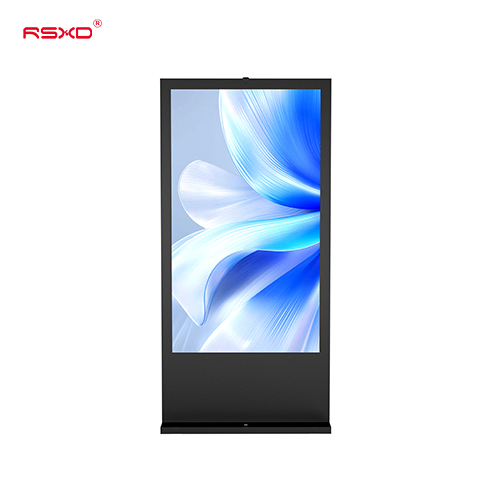
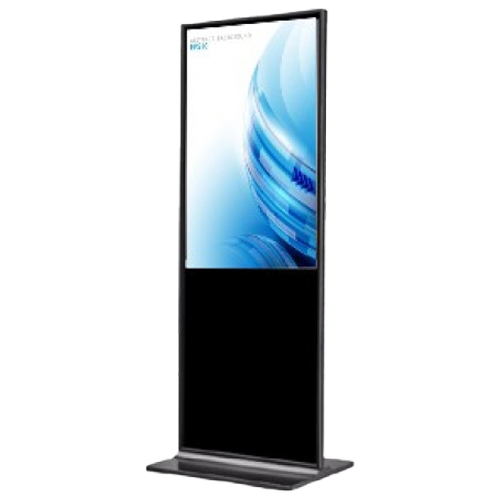
The RSXD outdoor floor-standing LCD advertising display includes temperature sensing and controlled cooling. Its described protection logic can turn the screen off during abnormal temperature rise while the fans continue running. Discuss that behavior during selection: protective shutdown may safeguard equipment, but it also interrupts the message.
Request the operating conditions, installation clearances and any brightness reduction or shutdown behavior in writing. Keep ventilation openings clear and ensure that decorative surrounds do not obstruct the approved airflow path. If the design uses filters, ask how they are accessed and maintained at the proposed installation height.
RSXD’s maintenance guidance includes cleaning screens, dust filters and ventilation openings, and checking outdoor seals. Build those tasks into the service plan. Brightness acceptance should include operation after the unit has warmed under representative conditions, with the supplier defining the test duration and safe limits for the selected design.
A display selected for strong daylight should not run at maximum brightness throughout the night. Automatic brightness control can adjust output as conditions change, while a schedule can help manage operating hours. Check that the sensor is positioned to detect representative ambient light and is not hidden by trim or signage.
During commissioning, test the transition between daylight, shade and evening conditions. Confirm that the display remains readable without abrupt, distracting changes. Avoid prescribing one night setting for every site; assess the surrounding environment, viewing distance and any local requirements that apply to the installation.
For battery-powered equipment, request runtime under the brightness level and content schedule you intend to use. A headline battery duration should not be assumed to apply continuously at maximum output. Confirm charging arrangements, battery replacement access and what happens when the remaining charge becomes low.
Agree on acceptance criteria with the supplier before evaluating a sample. The test should answer whether intended viewers can read the required information, whether the equipment remains stable and whether day-to-night control behaves as expected. Record the configuration so the approved sample can be matched to the production order.
Use the following checks as a starting point:
Photographs are useful records, but camera exposure can make a screen appear better or worse than it looks in person. Combine photographs with direct observation and, where specified, calibrated measurements. Do not use a phone image alone to certify a nit rating or decide whether a detailed message is readable.
For procurement, send RSXD your outdoor installation conditions, including site photographs, orientation, shade, operating hours, viewing distance and content examples. Request a model-specific proposal covering brightness, front glass, thermal management and dimming. Approve the assembled configuration after testing rather than selecting from the highest number in a comparison sheet.
It may work in some installations, but it is not a reliable blanket specification for full sun. Test the final assembly at the intended location. For exposed sites, compare higher-output options and consider improvements to placement or reflection control.
No. It is a useful level to include in a direct-sun shortlist, but readability also depends on reflections, content, viewing angle and sustained thermal performance. Acceptance should be based on the required message being readable under the agreed site conditions.
No. Ingress protection concerns dust and water protection under defined test conditions. It does not establish display brightness, reflection performance or thermal suitability. Check those characteristics separately for the complete outdoor installation.
A cabinet alone does not establish suitability. The complete assembly needs appropriate brightness, optical performance, cooling, environmental protection and installation approval. Evaluate it as an engineered outdoor system rather than assuming that weather protection resolves every requirement.
Use the output needed for readability, with appropriate dimming as ambient light falls. Confirm the control settings and operating limits for the selected model. A suitable daylight specification should be paired with an evening setting that fits the site.