 author
Digital self-service kiosks can help businesses process routine requests faster, reduce avoidable input errors and give customers more control over simple tasks. Their strongest benefits appear when the screen, software and service process work together. Installing a touchscreen alone does not shorten a queue or improve an order.
For retailers, hotels, visitor centers and public service facilities, the useful starting question is straightforward: which task repeatedly brings people to the counter? A directory search, product inquiry or standard check-in may be a better first project than trying to automate every service at once. Choose a clear task, retain access to staff and measure what changes.

A digital kiosk combines a display and user interface with the software needed to complete a defined activity. Some installations provide information only; others connect to booking, ordering or payment systems. Those functions require different software, interfaces and peripherals, so a buyer should specify the workflow before choosing the cabinet.
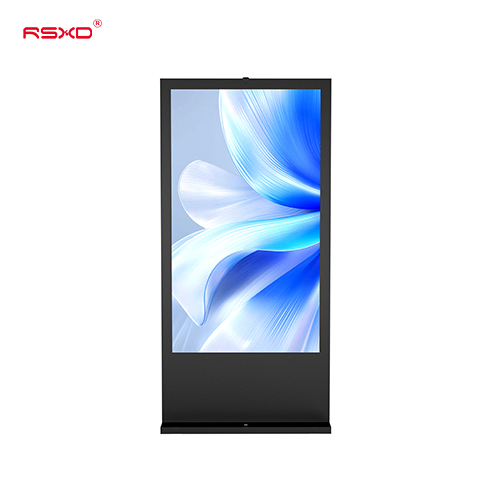
An interactive digital signage kiosk can support product browsing, wayfinding and service information. For a transaction-based project, confirm the required application and backend connections separately. Treat menu browsing, placing an order and completing a payment as distinct capabilities, even when the customer expects them to feel like one continuous experience.
RSXD can customize self-service terminals with touch displays and modules for identity recognition, printing, card reading and QR code scanning. Define which modules the project needs, then confirm compatibility in the proposed configuration. A simpler information kiosk should not carry the cost or maintenance burden of peripherals that customers will never use.
Self-service adds another way to complete a common task. A visitor looking for a store or meeting room can use a directory instead of joining the reception queue. At a service center, a guided information screen can help people identify the correct counter before they wait in the wrong line.
The benefit depends on the whole journey. If the kiosk sends every user back to an employee for the same information, it has added a step. If ordering becomes faster but the collection area cannot handle demand, the queue has moved rather than disappeared. Choose tasks that the system can complete or hand over cleanly.
Keep the first screen focused. Show the main actions in language customers recognize, provide an obvious route back and make the completion message clear. Place the terminal where arriving visitors can see it without blocking an entrance or creating a second queue across the main walking route.
During a pilot, compare arrival-to-completion time for the same task before and after installation. Record peak periods, abandoned sessions and requests for help. A fast demonstration by a trained employee says little about the experience of a first-time visitor. Observe actual users before deciding how many terminals to deploy.
When customers enter or select their own details, a kiosk can remove one verbal handoff. A product option, appointment reference or destination is visible on the screen, giving the user an opportunity to review it before submission. Clear choices and a confirmation step can reduce misunderstandings that otherwise require staff to correct the request.
Good software matters here. Required fields should explain what is missing, invalid entries should receive useful feedback and users should be able to correct a mistake without restarting. A confirmation screen should show the important details in full. An attractive interface that hides the selected options makes verification harder.
For applications that use scanners, printers or payment devices, test the entire transaction. A successful scan must reach the correct record; a completed payment must return the correct status; a printed receipt must match the action taken. Specify these outcomes with the software integrator instead of treating peripheral detection as proof of integration.
Measure corrections, duplicate submissions and failed handoffs as well as completed sessions. Self-service does not eliminate errors. It changes where they can occur and gives the team a chance to make those points visible, testable and easier to resolve.
Some visitors want to compare information without feeling rushed. Others need to change the interface language or return to a previous screen. A well-designed kiosk lets them move at a comfortable pace while keeping the next step clear. That flexibility is especially useful for directories, visitor guidance and product comparison.
Physical design deserves the same attention as the software. Check screen angle, reach, reflections and the space around the cabinet. RSXD’s horizontal touchscreen kiosk offers a different interaction layout from a vertical display. Evaluate the proposed height and angle with representative users rather than assuming that a larger screen is automatically easier to use.
Plan readable text, generous touch targets and straightforward instructions. Where language or audio options are required, include them in the acceptance test. Consider seated users and people who have difficulty with touchscreens. Keep a visible way to request human assistance, and verify the accessibility requirements that apply to the installation.
Personal information also needs thoughtful handling. Avoid leaving a previous visitor’s details visible when a session ends. Define timeout behavior, screen placement and the information that must be retained. These controls belong in the application specification; they are not benefits that follow automatically from choosing commercial display hardware.

Routine questions can interrupt employees throughout the day. A kiosk that answers directions, displays service instructions or collects standard information can reduce those interruptions. Staff can then spend more time explaining options, resolving exceptions and helping visitors whose requests do not fit the standard process.
This is a workflow decision before it is a staffing decision. Identify who will help a confused user, refill printer paper and respond when the application stops. During the introduction period, a nearby employee may be essential for explaining what the kiosk does and directing suitable requests toward it.
Build the business case around measured workload. Compare staff minutes spent on the selected task with the time needed for assistance, maintenance and exception handling. Include software licensing, integration and support costs. A claim that kiosks will remove a fixed percentage of labor costs is not a reliable forecast for an individual site.
A useful pilot outcome may be fewer interruptions rather than fewer staff. For example, reception employees may gain longer periods to handle complex inquiries while visitors use the kiosk for directions. Agree on the expected operational improvement before installation so that the team evaluates the right result.
Opening hours, promotions and service instructions change. Digital interfaces can make those updates easier to distribute when a publishing process is in place. RSXD supports remote content publishing and batch device management. The project should define who approves updates, which devices receive them and how successful delivery is checked.
For sites combining promotion and self-service guidance, a dual-screen digital signage kiosk provides another layout option. Plan what each display should show and confirm the touch configuration. Keep promotional content from obscuring the active task, especially when a user is reviewing personal details or a transaction summary.
Central management still needs local accuracy. A promotion may apply to one branch, while another needs different hours or directions. Use location-specific content rules, review dates and a responsible owner. Test updates on a small group of devices before distributing a change that affects the customer journey.
If the application records usage, review completion and abandonment patterns to identify confusing steps. Collect only the information needed for the stated purpose. Analytics capabilities, reporting access and data handling must be agreed with the software provider; they should not be assumed from the presence of a touchscreen or network connection.
Start with one high-volume task and a representative location. Document the current process, configure the kiosk and run the agreed tests with staff and customers. Keep the assisted route available. Review successful completion, waiting time, correction requests, staff interventions and content accuracy before expanding to additional sites.
To plan the hardware, discuss your self-service workflow with RSXD. Share the installation space, operating environment, application, preferred system and required peripherals. Ask for a configuration proposal that separates display hardware, software integration and ongoing support, so each responsibility is clear before the pilot begins.
No. Payment requires suitable hardware, approved payment services and application integration. Confirm the required payment methods and test successful, rejected and interrupted transactions. An interactive information display should not be assumed to include a complete payment solution.
It is better suited to defined, repeatable tasks. Staff remain important for exceptions, assistance and complex requests. Estimate the effect on workload through a pilot instead of assuming that every completed kiosk session removes an equivalent amount of staffing cost.
Choose a frequent task with clear inputs and an obvious completion point, such as a directory lookup or standard service inquiry. Avoid starting with a process that requires frequent judgment calls or depends on unresolved backend integration.
Yes, when the selected hardware, software and network configuration support remote publishing. Confirm permissions, device grouping and update verification. Test what happens during a network interruption so outdated information does not remain unnoticed.
Track completed tasks, total journey time, errors, abandonment and staff assistance. Compare equivalent operating periods and include maintenance effort. The best measure is whether customers complete the intended service more reliably with an acceptable operating cost.