 author
Choosing a wall mounted digital signage screen starts with the viewer and the installation site. The right digital signage display size lets people read a message in a few seconds, keeps the wall balanced, and leaves room for safe cable routing and service access.
You can review the wall-mounted digital signage range after measuring the site. This guide shows how to choose digital signage size for lobbies, retail areas, clinics, schools, offices, and outdoor entrances.
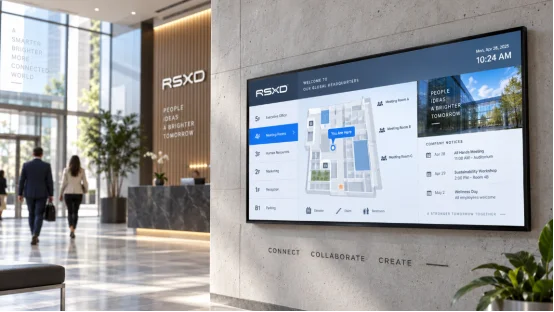
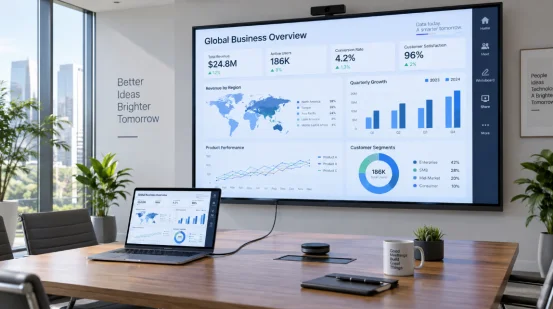
Measure the wall, audience path, and content before comparing sizes. A 55 inch wall mounted display can suit a lift lobby; a 65 inch digital signage display may suit a long corridor.
Record wall width and height, then mark doors, sprinklers, sockets, columns, and rails. Leave cabinet space for airflow and service work. Confirm bracket rating, anchors, and the delivery route from door to wall.
List nearest, typical, and farthest viewer positions. Queue viewers stand close; wayfinding viewers read while walking. Note eye height for seated clinics or standing reception areas.
Viewing distance for digital signage links screen size with character height and image detail. Check the farthest regular viewer, then test a real slide at that distance.
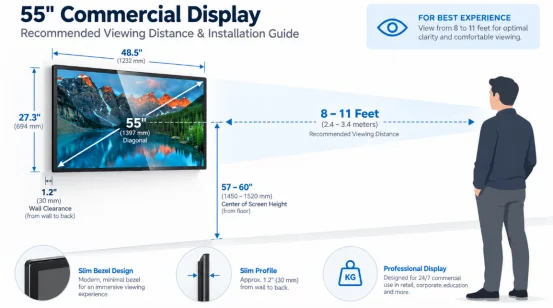
For general text and menus, start with screen diagonal in inches multiplied by 1.5 to 2.5 for viewing distance in feet. A 55 inch screen suits roughly 7 to 11 feet; a 65 inch screen reaches about 8 to 14 feet. Confirm the range with a site test because font size, contrast, language, and motion change the result.
Short headlines and prices can work on a smaller screen. Detailed schedules, maps, and health instructions need more area or a closer viewing zone. Keep the main text large enough for a quick glance. If the screen will show split panels, reserve a wide layout so each panel keeps readable type. A portrait screen can suit a narrow column, while a 16:9 wide-format screen fits menus and multi-column schedules.
Screen size and resolution work together. A 4K digital signage screen gives maps, product details, and tiled layouts more pixels when the player supports that output.
Full HD suits simple notices and video loops at moderate distance. Choose 4K for close viewing, displays above about 55 inches, or several information blocks. Check the source, HDMI version, player, and content platform. RSXD lists 1080P and 4K as standard signal targets.
The 16:9 format works for menus, dashboards, and video. Portrait 9:16 gives posters and queue instructions more vertical space. When a wall has a fixed niche, compare the actual wall mounted display dimensions with the bezel and bracket, plus the diagonal number. A thin bezel improves the usable image area, but service clearance still matters.
Glare can hide detail and make a correctly sized screen hard to read. Check light direction, reflections, dust, heat, and moisture at the site.
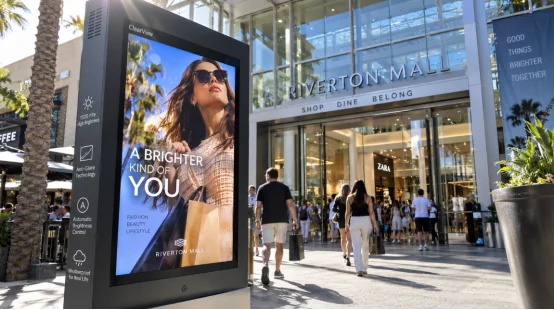
Indoor areas often work with moderate brightness and an AG anti-glare surface. Windows, covered outdoor walkways, and entrances need a higher setting.
An outdoor high brightness display in the RSXD’s website uses 800 to 1500 cd/m² models, with some outdoor products specified at 1500 cd/m² or more and IP65 protection. Add a shade and set the viewing angle when direct sun reaches the panel. Brightness sensors can reduce output when energy-saving mode is active, so include that setting in commissioning checks.
Leave ventilation space around the cabinet and keep air outlets clear. Outdoor units need checks for gaskets, seals, grounding, and lightning protection. The production process described in the RSXD’s website includes high and low temperature, waterproof, dustproof, and shock tests for outdoor and high-brightness models. Request test conditions that match your site and use those records when selecting the outdoor model.
The best size for wall mounted digital signage depends on the task and wall proportion. Use these ranges for a shortlist, then confirm with a site mock-up.
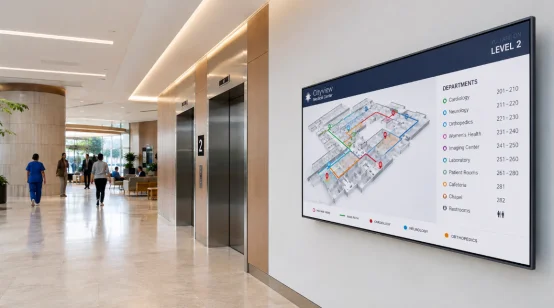
A 43 to 55 inch screen suits a compact lobby, visitor check-in, or one-column wayfinding. Use 65 to 75 inches when the audience stands 4 to 7 meters away or when several departments share one board. Keep the bottom edge clear of furniture and place the main message near standing eye level.
Use 43 to 55 inches for a menu board viewed across a counter. Choose 65 inches or larger for a wide menu, promotional video, or aisle-end feature. Leave space for a media player and power access. Test prices and allergen text during the busiest period, when viewers glance for only a moment.
For queues, class notices, and meeting-room schedules, 32 to 55 inches often fits the viewing zone. A 55 to 65 inch panel supports calendars, maps, and accessibility information in a shared area. Touch functions add hardware depth and user reach requirements, so check the mounting height before selecting a larger model.
Print the proposed image at full scale, tape its outline to the wall, and stand at the nearest and farthest reading points. Check glare and confirm bracket, power, network, and service access.
Run the actual playlist, including MP4, JPG, and PNG files, through the intended player. Check output, font sizes, transitions, and remote publishing. For multiple locations, remote cluster management keeps schedules consistent. Include restart, network, and brightness checks at handover.
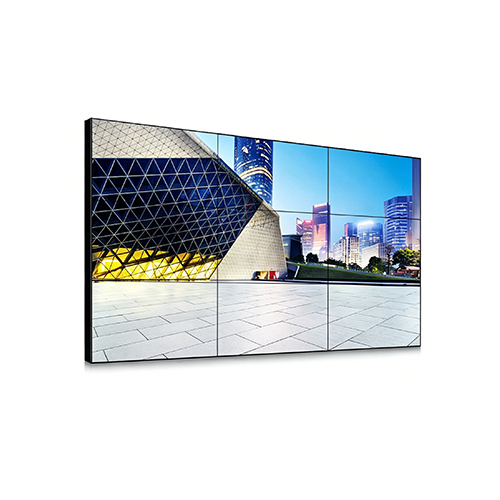
Size decisions become easier when the display, software, and installation plan are reviewed together. RSXD develops commercial LCD display equipment from 10.1 inches to 120 inches and above, including wall-mounted advertising machines and high-brightness models. Its engineering team can adjust cabinet size, interface, operating system, touch function, and remote management to fit a defined site.
Products go through parameter calibration, functional checks, and at least 48 hours of continuous high-temperature aging. Projects with local IT requirements can specify compatible domestic operating systems. You can review RSXD commercial display solutions and request a drawing that shows the panel, bracket, cable route, and service clearance together.
Q1: What is the best size for wall mounted digital signage in a small lobby?
A: Start with 43 to 55 inches, then confirm readability from the farthest regular viewer and check the wall clearance.
Q2: How far should you stand from a 55 inch digital signage display?
A: A practical starting range is about 7 to 11 feet for general text. Test your real fonts and contrast at the site.
Q3: Is a 4K digital signage screen necessary for every installation?
A: No. Full HD suits simple content at moderate distance. Use 4K for close viewing, larger panels, or multi-panel layouts.
Q4: What brightness does an outdoor high brightness display need?
A: Many outdoor models use 800 to 1500 cd/m², with some products rated at 1500 cd/m² or more. Consider glare, shade, and viewing angle together.
Q5: Can the cabinet and software be customized for a wall?
A: Yes. Custom work can cover dimensions, appearance, interfaces, operating system, touch modules, content publishing, installation, and maintenance.