 author
Projectors still have their uses. However, waiting for lamps to heat up gets annoying fast. Anyone who has wiped a dusty filter or stared at a faded picture knows this daily struggle.
Schools and offices are switching to interactive displays. The screen does much more than just show pictures now. It actually lets users write, share, and organize data right on a single surface.
This shift makes total sense. One interactive flat panel easily swaps out an old projector, a messy whiteboard, extra speakers, and tangled adapters. Fewer gadgets around simply mean fewer things can break.
Why are Interactive Displays Replacing Older Screens?
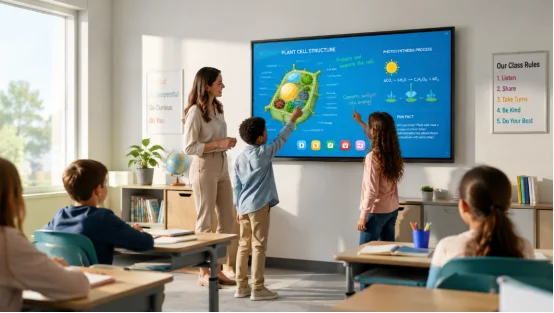
Classrooms and boardrooms face the exact same issue. People must see details clearly. They also need to act on that data fast. An interactive display mixes a super sharp screen with fast touch control. It also packs built-in computing. You can mark up a file or play a video instantly. You can even jump to a shared laptop. After that, just save your notes without ever pausing the session.
Sunny windows usually turn projected slides into a gray blur. Meanwhile, a 4K display with an anti-glare screen keeps every word crisp under normal ceiling lights. That huge detail matters a lot. It really helps when students sit way off in the corner. It also saves the day in meeting rooms with giant glass walls.
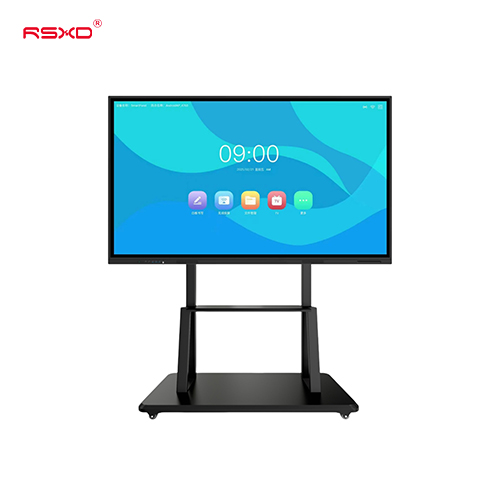
An interactive whiteboard handles your writing, screen sharing, and video calls all inside one machine. The messy cables vanish. Plus, you never get that annoying projector shadow blocking the board. It feels like a minor upgrade, yet busy teachers and presenters appreciate it every single day.
The strongest case for classroom technology is not novelty. It is participation. When a lesson stays on one shared surface, students can see the same page, map, experiment, or problem while the teacher works through it.
High-end panels commonly support 20-point touch and around 10 ms response, often listed as a 10ms response rating. Students can mark a chart or solve steps together while the teacher moves between apps. A sensitive touch layer helps younger learners who press lightly or use a whole hand by mistake.
Notes can be saved as files instead of being erased at the end of class. Teachers can send a marked-up page to absent students or reuse it for revision. This is especially useful in science and technical subjects, where a sequence of drawings often explains more than a paragraph.
Wireless screen sharing lets a teacher bring in a tablet or laptop without passing cables around. The same panel can support a camera and conference software for remote lessons.
Office teams are adopting the same hardware for a different reason. Meetings now mix people in the room with people elsewhere, plus documents from several systems. A touchscreen display gives the group one place to see the plan and make decisions, which makes office collaboration less fragmented.
Instead of talking through a spreadsheet on a small laptop, you can open it at full size, circle a risk, and assign the next action. The mark-up stays with the file. That cuts down on the familiar follow-up email listing what was agreed.
Wireless screen sharing reduces the time spent finding the right adapter. If a connection lags, a wired option remains useful for important presentations. Good meeting rooms offer both, because real networks are not always cooperative.
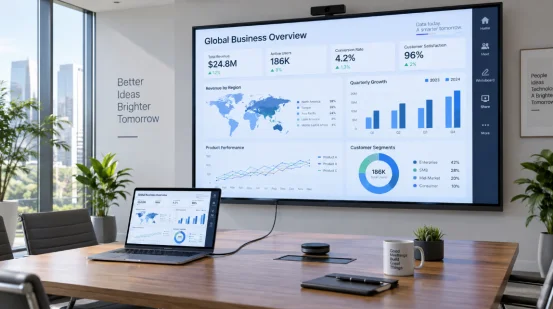
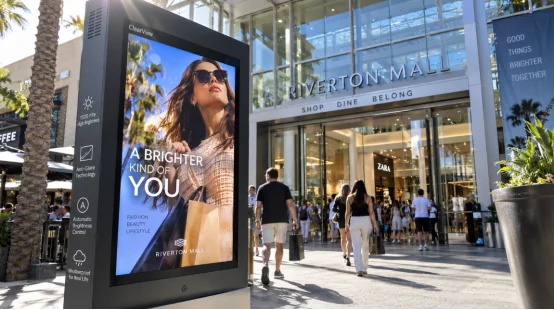
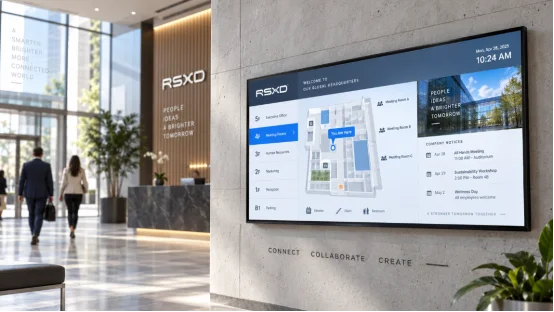
Many offices also use the same commercial display for dashboards, visitor information, training videos, digital signage, or internal announcements. With remote management, an administrator can update several screens from one place instead of visiting every room.
The right specification depends on the room. Start with viewing distance, daily operating hours, network rules, and the software people already use.
Look for accurate multi-touch, low writing delay, 4K resolution, and an anti-glare or low-reflection surface. Ask for a live demonstration. A number on a brochure cannot show how palm rejection feels during a full lesson.
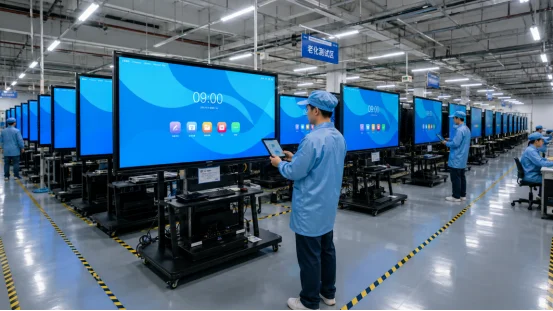
Schools and offices may run displays for long hours. Check rated service life, cooling design, component quality, and test records. A unit designed for 24/7 operation is a better fit than a home television, even when the picture looks similar in a showroom.
Confirm support for your operating environment, screen mirroring method, user permissions, and remote management needs. If your IT team must deploy many units, ask whether firmware updates, content publishing, and fault checks can be handled centrally.
Common classroom and meeting-room sizes range from 55 to 86 inches, while larger spaces may need 98 inches or more. Wall mounting saves floor space, but a mobile stand can help flexible rooms. Measure sightlines before ordering. A huge panel is not helpful if the back row still sees glare.
Purchase price is only one part of the calculation. Include installation, training, replacement parts, software support, energy use, and room downtime. A device that lasts five to eight years can cost less than a cheaper unit replaced every few years.
Routine care is straightforward. Keep vents clear, clean the screen, avoid constant maximum brightness, and check cables when a signal drops. If a fault appears, record the symptom before restarting. That note can shorten a service call.
Once a school or company has more than a few rooms, supplier support becomes part of the equipment decision. RSXD develops and manufactures commercial LCD products, including smart interactive boards for teaching and conference use. Its own R&D, sheet-metal, assembly, testing, and aging lines support both standard orders and custom display solutions.
The production process includes software pre-installation, touch calibration, interface checks, and at least 48 hours of continuous high-temperature aging for finished units. The company lists a screen life of 50,000 hours or more under normal use, with replaceable core components to extend service life. Products are tested against national, industry, and internal standards and carry certifications such as ISO9001, CCC, CE, FCC, and RoHS.
For larger rollouts, RSXD can combine hardware, software, installation, training, and maintenance. Its service network includes more than 500 outlets in China, with technical response coverage and remote diagnostics. That model is worth considering when a display is tied to daily teaching, executive meetings, or public information.
You can review the wider range of commercial display equipment before preparing a room-by-room specification.
Q1: Are interactive displays better than projectors for classrooms?
A: They usually provide clearer images in bright rooms, remove projector shadows, and combine writing, playback, and sharing in one device. Projectors may still suit very large rooms or tight budgets.
Q2: Do interactive displays work with existing laptops?
A: Most support common wired video inputs and wireless screen sharing. Confirm your laptop systems, network policy, and preferred mirroring method before purchase.
Q3: How long can an interactive display last?
A: Under normal use, a commercial panel may provide 50,000 hours or more of screen life and stable service for roughly five to eight years. Ventilation and brightness settings affect actual results.
Q4: Can one team manage displays in several rooms?
A: Yes. Models with remote management can publish content, apply updates, and check device status from a central platform, which is useful for campuses and multi-floor offices.
Q5: What should you request from a supplier before ordering?
A: Ask for a live touch demo, test reports, compatibility details, installation scope, warranty terms, spare-parts support, and a clear response process for faults.