 author
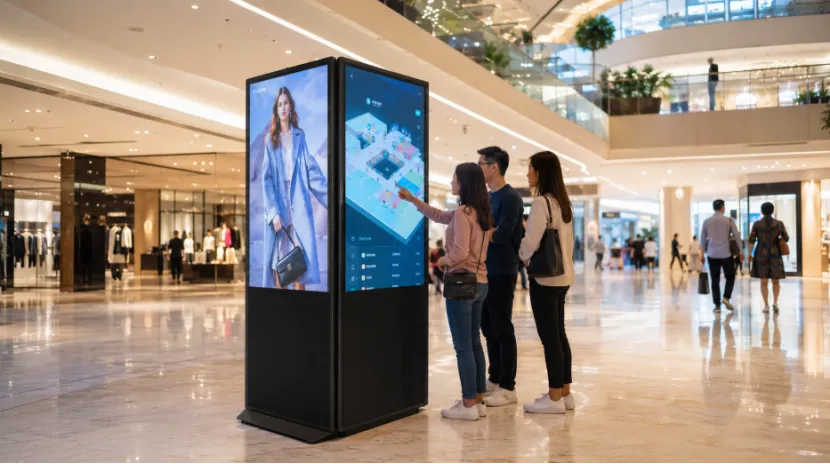
When you compare a dual screen digital signage kiosk vs single screen display, the real question is not “Which one has more screens?” It is “Which one helps shoppers notice the message, find what they need, and take the next step?”
In shopping malls, people move fast. Some only glance at a screen for two seconds. Others stop near a directory, check a map, scan a code, or look for a store. That is why shopping mall digital signage should match the location, content plan, and traffic path.RSXD is a Shenzhen-based commercial LCD display manufacturer focused on digital signage, touch kiosks, advertising machines, video walls, and customized display systems. Since 2014, it has built a business around R&D, design, production, customization, sales, and service.
For mall projects, that matters because you are not only buying a screen. You are buying stable hardware, software support, testing, packaging, and long-term service. RSXD’s knowledge base notes full-chain production, ISO9001 quality control, CE, FCC, RoHS certification support, and products covering 10.1 inches to 120 inches+.
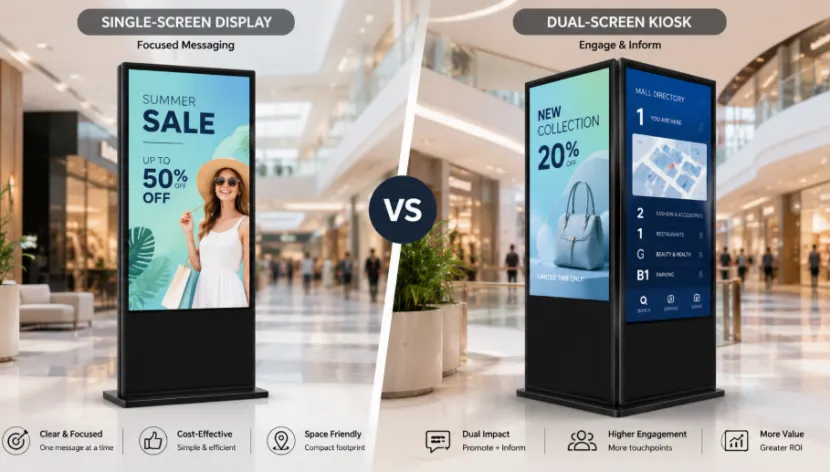
A single screen display usually carries one clear message. A dual screen digital signage kiosk carries layered content. In a mall, this difference can change how people react.
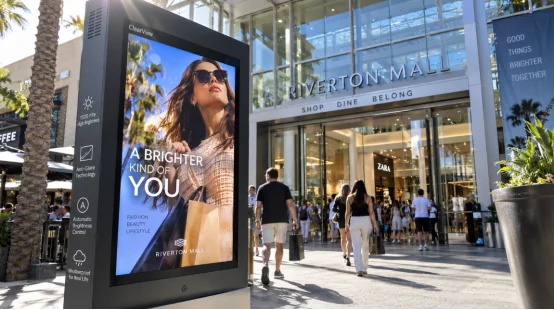
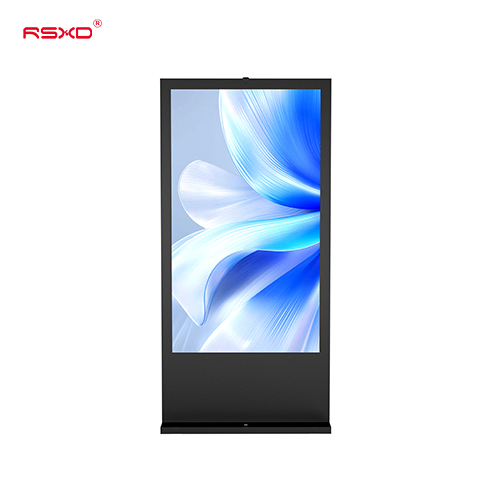
A floor standing LCD advertising display is useful when you want a big visual, short text, and quick recall. It works well for a new store opening, seasonal discount, food court offer, or simple direction sign. If the message must be seen in a narrow mall corridor, one screen is often enough.
A dual screen digital signage kiosk can show a promotion on one screen and a mall directory display on the other. It can also combine video ads, wayfinding digital signage, store details, coupon QR codes, and service notices. This makes it a stronger choice for a digital signage kiosk for shopping malls where content changes often.
Content capacity is where the difference becomes obvious. A mall may need ads, directions, event notices, tenant information, and parking tips. Putting all of that on one display can make the layout messy.
A single screen display for mall advertising should stay simple. One image. One offer. One call to action. This is good for a shopping mall advertising screen placed near elevators, small store entrances, or checkout areas. It gives strong visual impact without asking shoppers to think too much.
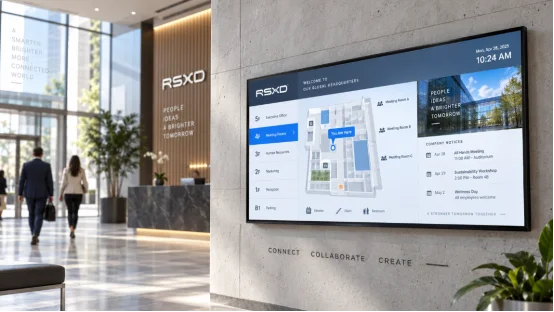
A vertical dual screen kiosk works better when you need both attraction and practical help. One screen can pull attention with a campaign video, while the second works as a store directory kiosk or interactive wayfinding kiosk.
RSXD advertising machines support remote information publishing, scheduled power on and off, split-screen display, intelligent dimming, and batch management, which helps mall operators manage content across many locations.
Customer attention depends on the shopper’s goal. A person rushing to the parking lot needs fast information. A visitor standing near the central atrium may accept more detail. Pretty normal mall behavior, actually.
A commercial digital signage display with one screen is easier to read when shoppers are walking. It is suitable for a compact advertising display in a tight aisle or near an escalator. For short dwell time, less content can be a good thing.
A touch screen digital signage kiosk can support mall customer engagement when people are willing to stop. In a high traffic mall area, a dual screen setup can guide shoppers, promote retailers, and support touch inquiry.
RSXD’s touch interaction products support infrared or capacitive touch, multi-touch, handwriting annotation, gesture operation, and Windows system options for interactive scenes.
Space efficiency is not only about footprint. It is about how much value one location can create. A blank corner near a service desk can do more than show one poster.
A single screen display suits a narrow mall corridor, elevator area, small boutique entrance, or quick food counter. It has lower upfront cost, simple installation, and easier maintenance cost control.
A freestanding digital signage kiosk with two screens can act as a two-in-one digital signage solution. It suits a mall entrance display, central atrium kiosk, event promotion kiosk, retail brand campaign display, food court digital signage, or service desk information kiosk. Instead of placing two separate devices, one unit can carry both ad content and visitor guidance.
Digital signage ROI for malls should not be judged by purchase price only. You should look at content complexity, mall traffic flow, advertising revenue, and long-term operating cost.
If your project only needs promotional information display, a single screen display is a safe and budget-friendly choice. It is easier to install, easier to train staff on, and less demanding for daily operation.
A dual screen kiosk for shopping malls costs more at first, but it can support more functions at one point. It may raise ad value for tenants, reduce printed posters, guide visitors better, and support a content management system.
RSXD also carries out 48-hour high-temperature aging tests, brightness and contrast checks, color consistency tests, touch accuracy tests, and power-on/off stability tests before shipment. That matters when screens run every day.
Before you choose the best digital signage kiosk for shopping malls, check the real task of each location. Do not buy a dual screen just because it looks better. Do not choose one screen just because it is cheaper, either.
List what the screen must show: ads, maps, store lists, events, QR codes, or touch inquiry. Then check screen size, brightness, touch function, remote content publishing, scheduled power on and off, Android digital signage kiosk needs, Windows digital signage kiosk needs, and after-sales support.
For larger projects, RSXD’s commercial display solutions can fit mall, retail, hotel, and public information scenes with hardware, software, installation, and service support.
Q1: Is a Dual Screen Digital Signage Kiosk Always Better Than a Single Screen Display?
A: No. A single screen display is better for simple ads and fast traffic. A dual screen digital signage kiosk is better for ads plus maps, store directories, and interactive content.
Q2: Where Should Shopping Malls Install a Dual Screen Kiosk?
A: It fits mall entrances, central atriums, service desks, food court entrances, event zones, and other high traffic mall areas.
Q3: Is a Single Screen Display Enough for Mall Advertising?
A: Yes, if the content is only one promotion, one poster, or one short video. It is not ideal when you need wayfinding digital signage and store details together.
Q4: Which Option Has Better ROI?
A: Single screen has lower upfront cost. Dual screen can bring higher advertising revenue and better visitor guidance when used in the right location.
Q5: What Is the Main Buying Rule?
A: Match the display to mall traffic flow, content complexity, space efficiency, and long-term operating cost. That choice usually works better than simply counting screens.